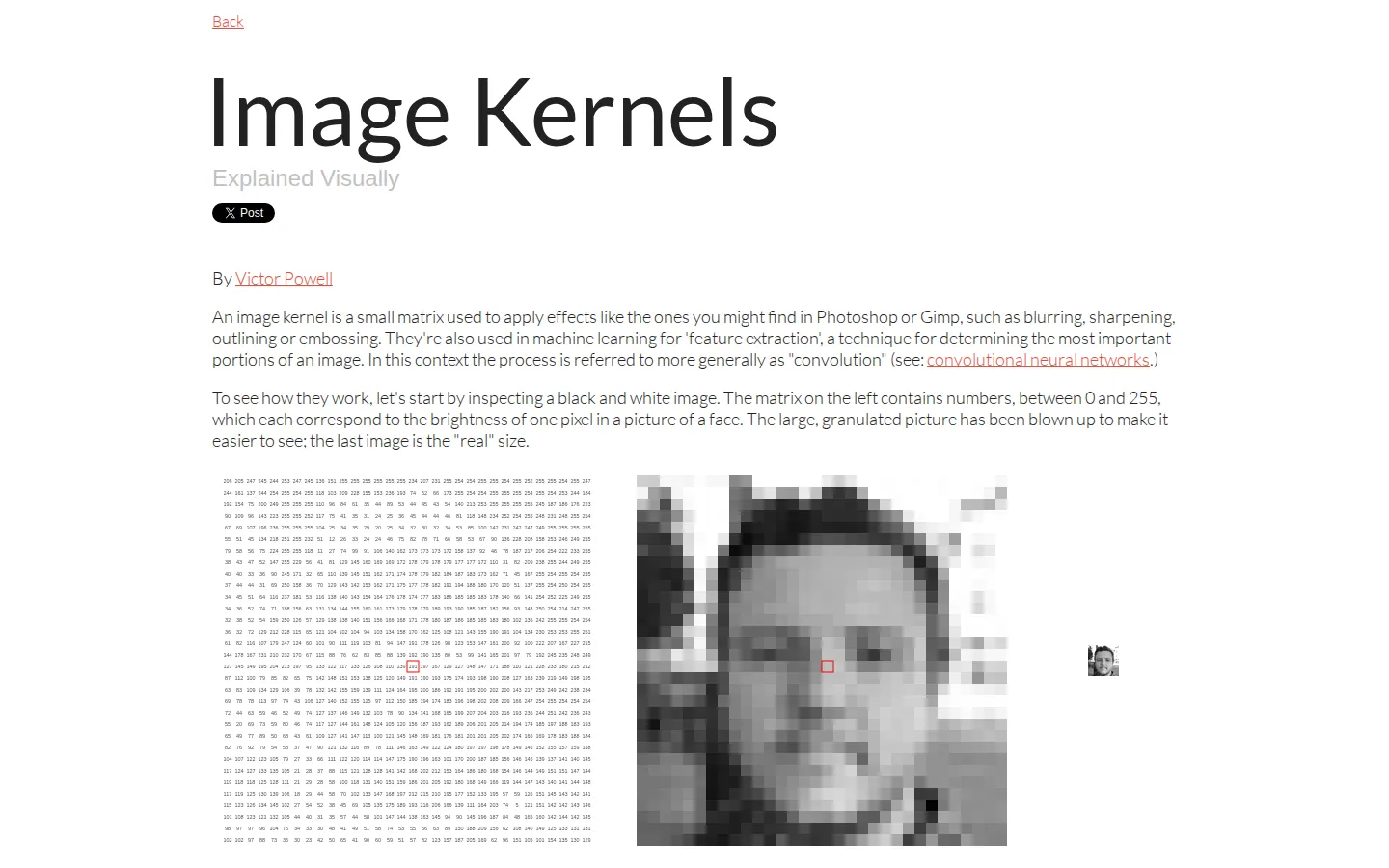
Image Kernels Explained Visually turns convolution from a compact formula into a pixel-by-pixel picture. It starts with grayscale values, traces the arithmetic of a 3 by 3 filter, then offers a playground for comparing familiar effects and shaping a matrix of your own.
What is Image Kernels Explained Visually?
The lesson begins small: a face becomes a grid of brightness values, and one output pixel is built by multiplying a neighborhood against nine kernel entries. That moving-window idea carries the page from arithmetic to recognizable effects including blur, sharpen, emboss, outlines, and directional Sobel filters. The playground is the rewarding half of the field note. It presents preset matrices, a custom kernel, and options for bringing in an image or supported live video, so the numbers can earn their keep on something more personal than the sample face. The page also states its edge-handling shortcut instead of hiding it, a useful reminder that this is an intuition builder rather than a complete image-processing reference.
What you can do there
- Follow a pixel-by-pixel kernel calculation
- Compare preset image filters
- Build a custom 3 by 3 kernel
- Apply a kernel to an uploaded image or supported live video
Why we picked it
It gives each coefficient a visible job. The route from nine numbers to an altered image is concrete enough for a first encounter, while the preset and custom matrices leave room for the productive sort of tinkering where a mistake can look unexpectedly excellent.
How to get the most from it
Read through the single-pixel calculation before reaching for the playground. Compare identity, blur, sharpen, outline, and the directional Sobel choices on the same image, then change one custom value at a time so you can see which part of the matrix caused the result.
Good to know
This is a compact introduction, not a full course in convolution or neural networks. Live controls, image upload, camera input, device support, accessibility, and runtime data handling were not exercised in this review, and no screenshot was captured. The page documents a simplified black-edge treatment, which can affect border pixels.
Who made it, and when?
Victor Powell is the credited creator or organization. The earliest supported launch date we found is January 29, 2015.
Creator’s official page Open Image Kernels Explained VisuallyMore like this
Nicky Case

Playable explanations about trust, systems, anxiety, networks, and the way people affect one another.
The Illustrated TLS Connection

TLS, unpacked until the handshake has nowhere left to hide.
Learn Git Branching

Git’s family tree, finally allowed to move while you poke it.
How DNS Works

A DNS lesson that takes the scenic route through the internet