
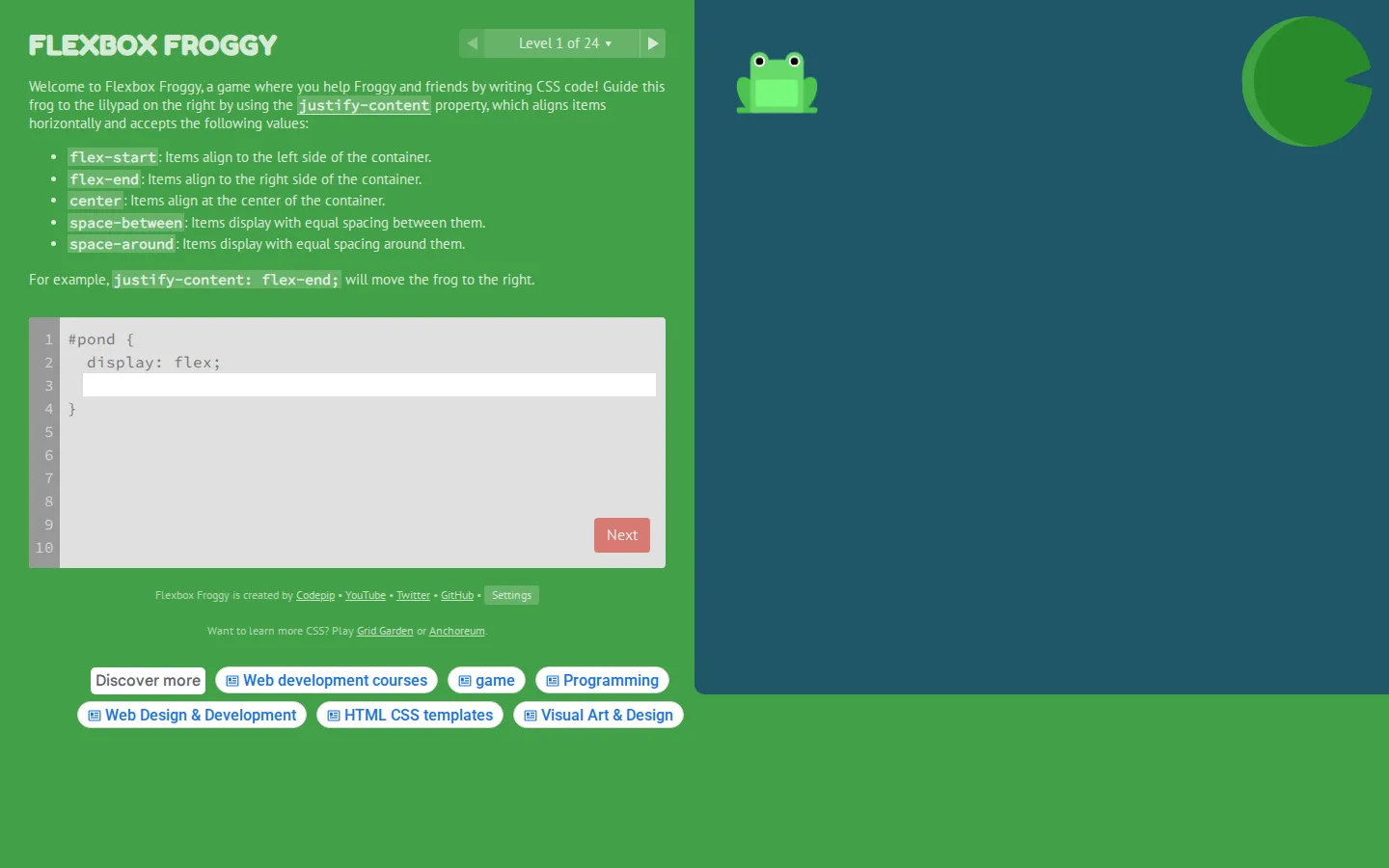
Flexbox Froggy turns CSS alignment into a 24-level pond puzzle. You type Flexbox properties and values to scoot colored frogs onto their matching lily pads, with guided, stripped-back, and randomized difficulty options when you want more or less hand-holding.
What is Flexbox Froggy?
The joke is simple and unusually legible: a misplaced frog is a layout bug you can see. Each exercise gives CSS a physical consequence, so properties such as alignment, direction, wrapping, and order stop feeling like vocabulary and start behaving like levers. The interface keeps Reset, level navigation, and the next step close at hand, while language and colorblind settings make the pond easier to approach. It works best as a compact practice course rather than a replacement for a full Flexbox explanation.
What you can do there
- Write CSS Flexbox declarations to move frogs onto matching lily pads
- Practice the same property set at progressively harder difficulty levels
Why we picked it
Few coding drills make a wrong answer this cheerful or this obvious. The frogs give abstract layout rules immediate visual stakes, and the escalating settings let a learner revisit familiar material without every hint still showing. Independent teaching material also treats it as useful practice, which is exactly the lane where it shines.
How to get the most from it
Start on Beginner and change only the property the level introduces. Before moving on, predict where the frog will land; once the early rules feel familiar, switch to Intermediate for fewer directions or Expert for randomized levels.
Good to know
This is practice, not a complete Flexbox curriculum. It helps with property-and-value recall, but deeper container relationships, debugging, and building an original page need separate instruction. A colorblind mode is available in Settings.
Who made it, and when?
Thomas Park is the credited creator or organization. The earliest supported launch date we found is November 25, 2015.
Creator’s official page Open Flexbox FroggyMore like this
Nicky Case

Playable explanations about trust, systems, anxiety, networks, and the way people affect one another.
The Illustrated TLS Connection

TLS, unpacked until the handshake has nowhere left to hide.
Learn Git Branching

Git’s family tree, finally allowed to move while you poke it.
How DNS Works

A DNS lesson that takes the scenic route through the internet