
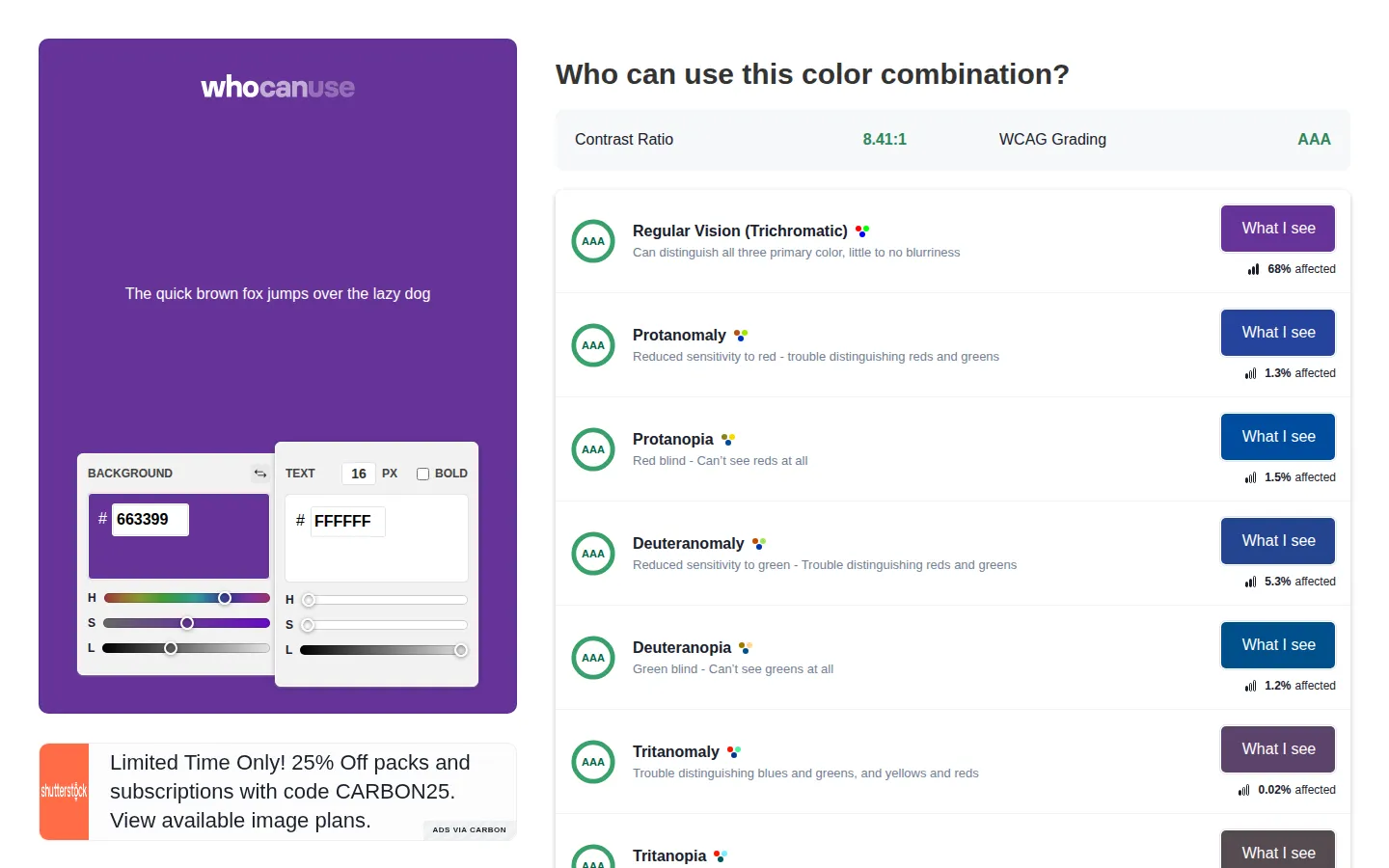
WhoCanUse turns a foreground-and-background color check into a row-by-row look at how the pair may fare across visual impairments and everyday viewing conditions. Alongside the usual contrast ratio and WCAG grade, it adds context that makes an abstract pass or fail feel more connected to people.
What is WhoCanUse?
The page starts with a familiar test sentence and a compact set of background, text, size, and weight controls. Results then fan out into separate grades for regular vision, several color-vision conditions, cataracts, glaucoma, and low vision, followed by direct-sunlight and night-shift scenarios. That structure is the clever part: a single ratio becomes a small roll call of circumstances in which the same design choice can land differently. It remains a focused pair checker, so a full palette or finished interface still needs broader testing.
What you can do there
- Compare a foreground and background color
- Review WCAG grades across simulated vision conditions
- Adjust text size and weight
Why we picked it
Most contrast checkers stop once they hand over a number and a badge. WhoCanUse keeps going, arranging the result around named conditions and situational examples so the accessibility question is harder to flatten into a compliance checkbox. It is compact, specific, and useful without pretending that one tool can settle the whole subject.
How to get the most from it
Set the background and text colors, choose the size and weight that match the design, and read past the headline ratio into the individual condition rows. Swap the colors to compare the reverse treatment. When a pair is worth sharing, keep its URL so a teammate can inspect the same setup.
Good to know
WhoCanUse evaluates one color pair at a time, which makes large palette comparisons repetitive. The site says its affected-population figures are estimates and are not meant to total 100 percent. Treat the simulations as a helpful design lens, then pair them with broader accessibility checks and testing with people.
Who made it, and when?
Corey Ginnivan is the credited creator or organization.
Creator’s official page Open WhoCanUseMore like this
Excalidraw

A fast whiteboard whose hand-drawn look makes unfinished ideas feel welcome.
ExplainShell

A plain-English map for the flags hiding inside a shell command.
Same Energy

A visual-search rabbit hole for when words are too blunt
Nice Game Hints

A polite little lantern for when a game puzzle eats the trail.