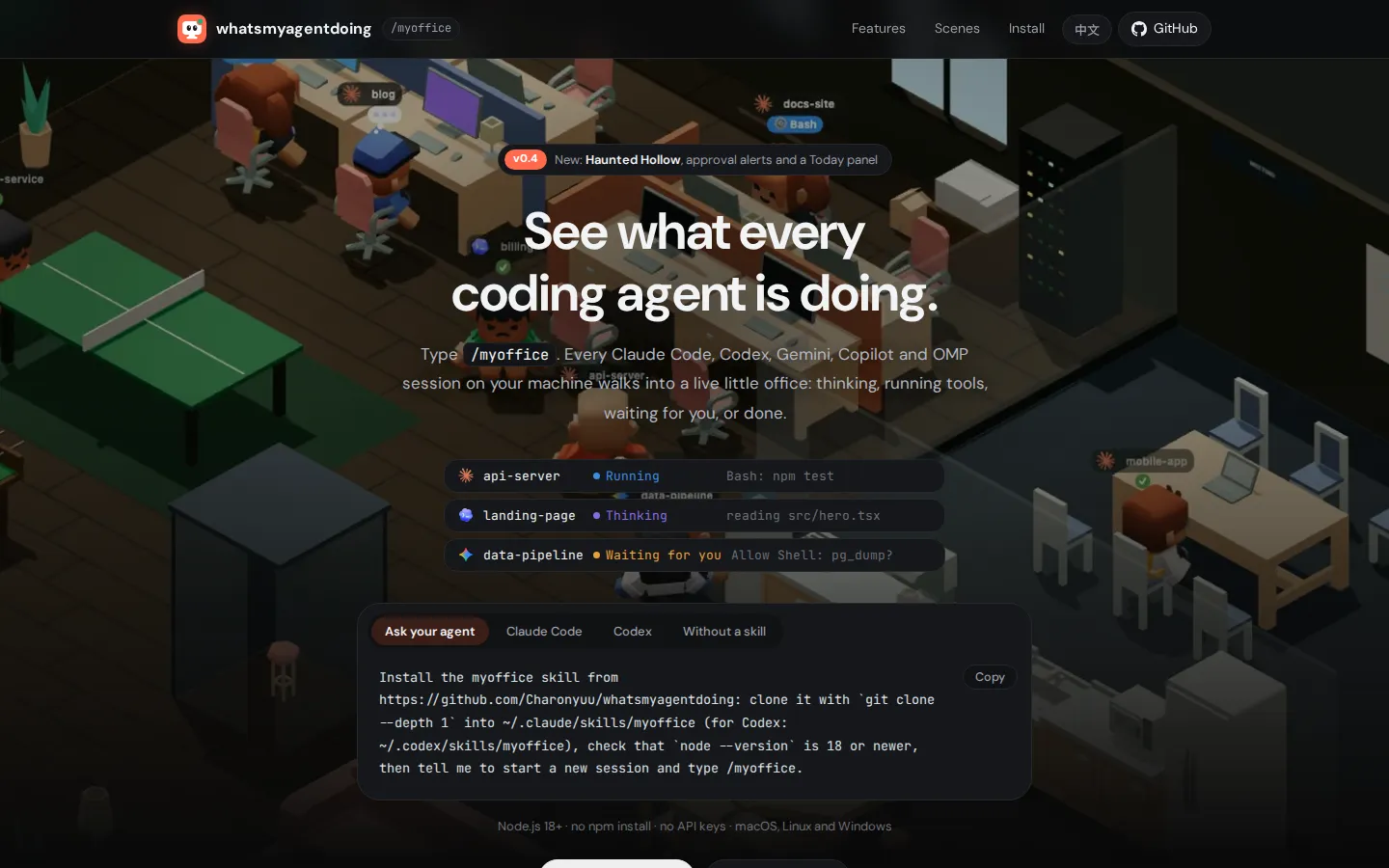
What's My Agent Doing? turns a pile of local coding-agent logs into a miniature office roster. Busy sessions type at desks, finished ones wander off duty, and anything waiting on a question or approval stands up for attention. A plain list and detail panel sit behind the whimsy, making the project useful when several terminals have started to blur together.
What is What's My Agent Doing??
The charming idea is also the interface: one little worker per session, with thought bubbles, scrolling monitors, breaks in the pantry, and a conspicuous wave when human input is holding up the line. Switch to the list when you need less theater and more signal. The documented panel groups sessions by urgency, exposes the current tool or turn state, and can surface usage, resume commands, and recent conversation text from local logs. Two-dimensional mode keeps the package light; the optional three-dimensional office adds lighting, shadows, scenery, and a rotatable camera. It is a status board, not a dispatcher, which helps keep the scope understandable.
What you can do there
- Monitor local coding-agent sessions
- Find agents that need attention
- Inspect status and recent activity
Why we picked it
Most agent dashboards look like server monitoring. This one makes a crowded coding day legible with a joke that keeps paying rent: waiting sessions literally get up and wave. Beneath that, the read-only log model, private mode, list view, and attention-first grouping address a real problem without trying to become another coding environment.
How to get the most from it
Read the repository's privacy and installation notes before cloning, then start with demo mode if you want to see the office without opening real logs. When using live sessions, turn on private mode before screen sharing and keep the dashboard on its documented localhost boundary. Use the list for triage, the office for a quick sweep, and verify any surprising status against the original terminal.
Good to know
The dashboard reads local session files, including conversation and tool details for supported clients, so its playful face sits on sensitive material. The project documents localhost-only serving and a status-only private mode, but those safeguards were not independently audited here. It needs Node 18 or newer, is changing quickly, and can undercount very large logs because some usage views read only the head and tail.
Who made it, and when?
Charonyuu is the credited creator or organization.
Creator’s official page Open What's My Agent Doing?More like this
DevLids

A little museum of the laptop backs that attended every meetup before the stickers started peeling.
The Nicest Place on the Internet

A live find from internet culture.
Tamaweb

A browser Tamagotchi with chores, evolution branches, and a surprisingly busy little social calendar.
Webkay

A candid browser-data mirror with a few cobwebs in the corners