
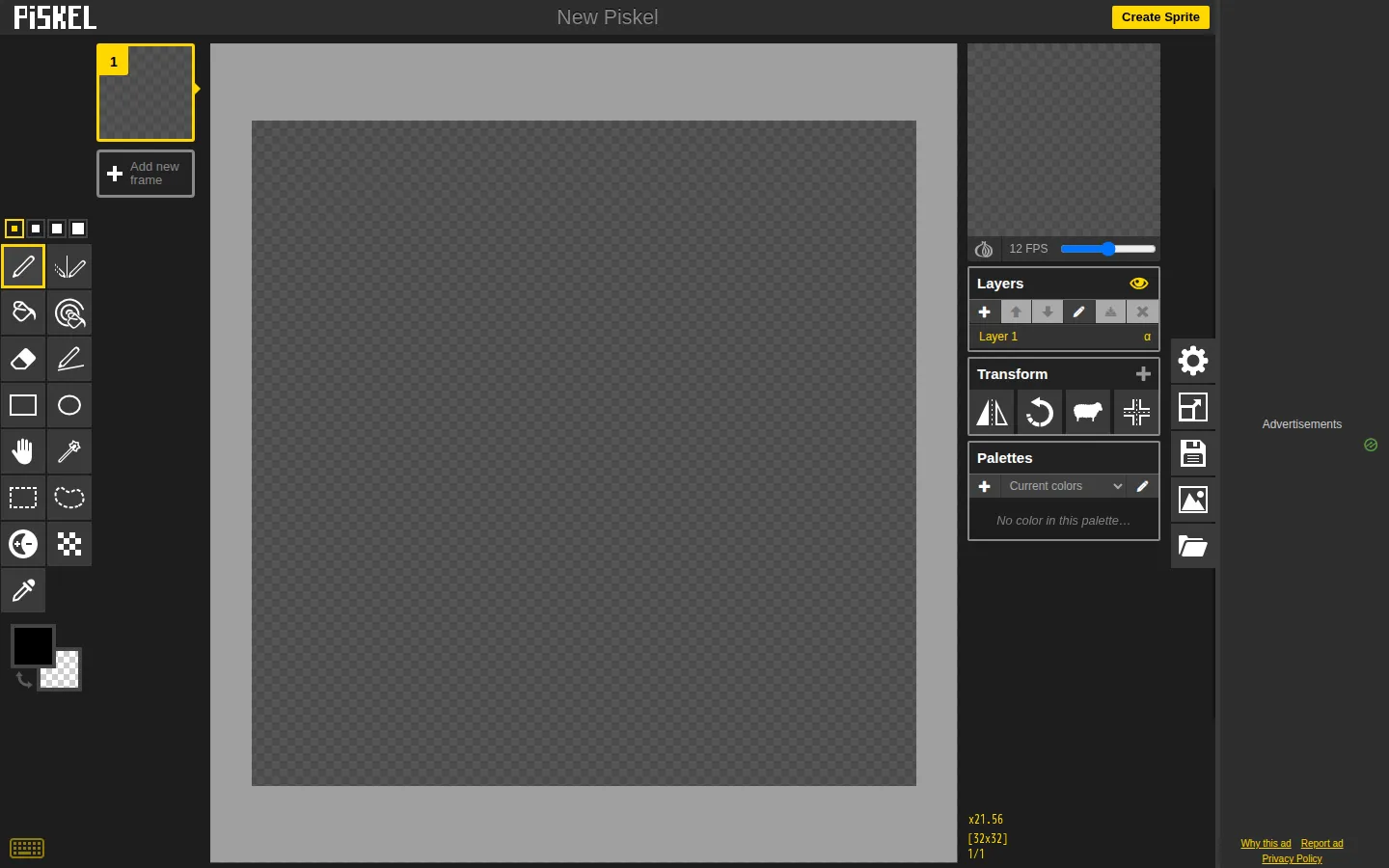
Piskel opens straight into a browser sprite editor built for pixel art and frame-by-frame animation. The workspace centers layers, transforms, palettes, and preview controls, while exports cover GIFs, PNG sprite sheets, and ZIP bundles. It is free and accountless, but the standard editor carries advertising and its maintainers explicitly do not support phones or tablets.
What is Piskel?
The destination drops you at a fresh sprite rather than making you tour a product page first. Its visible shell keeps the little workshop legible: drawing space in the middle, animation frames and preview nearby, then layers, transforms, palettes, scale, and fullscreen controls around the edges. The toolset goes beyond a bare pixel grid with selections, fills, shapes, frame timing, layer management, imports, and several useful export formats. That focus is the charm. Piskel feels sized for making a game character blink, a tile shimmer, or a tiny loop walk across a screen—not for pretending to be a full photo studio.
What you can do there
- Draw pixel art on a sprite canvas
- Build frame-by-frame animations with layers and live preview
- Export work as GIF, PNG, sprite-sheet, or ZIP files
Why we picked it
Piskel shortens the distance between an empty grid and a moving sprite. The premise is immediately understandable, the editor starts without registration, and live preview gives every added frame a quick payoff. Its browser-local storage and open source code also make the experience unusually inspectable for a free creative tool.
How to get the most from it
Use a desktop browser in landscape orientation and start with a small canvas. Draw one clear pose, duplicate its frame, then change only a few pixels before checking the preview. Add layers when foreground and background pieces need separate edits, and export a GIF for sharing or a PNG sprite sheet for a game project. Save often if the sprite grows large; the built-in recovery area can restore recent browser sessions after a crash.
Good to know
No account is available or required, and the project says artwork stays in local browser storage instead of being uploaded to a Piskel server. The standard editor is ad-supported and may involve third-party advertising cookies; a separate Piskel for Kids option removes ads and tracking. Phones and tablets are officially unsupported. Offline builds exist, but their own download page describes them as lightly tested and recommends the web editor for newer fixes.
Who made it, and when?
A documented update was recorded November 25, 2018.
Open PiskelMore like this
AutoDraw

Sketch badly on purpose and let machine-assisted suggestions turn it into a crisp icon.
Calligrapher.ai
A browser scribble machine that gives typed words a wobblier set of shoes.
Sketch Toy: Draw sketches and share replays with friends!

A doodle pad that remembers every stroke and turns the making into the show.
Wombo Dream AI

A prompt-powered sketchbook for images and video.