
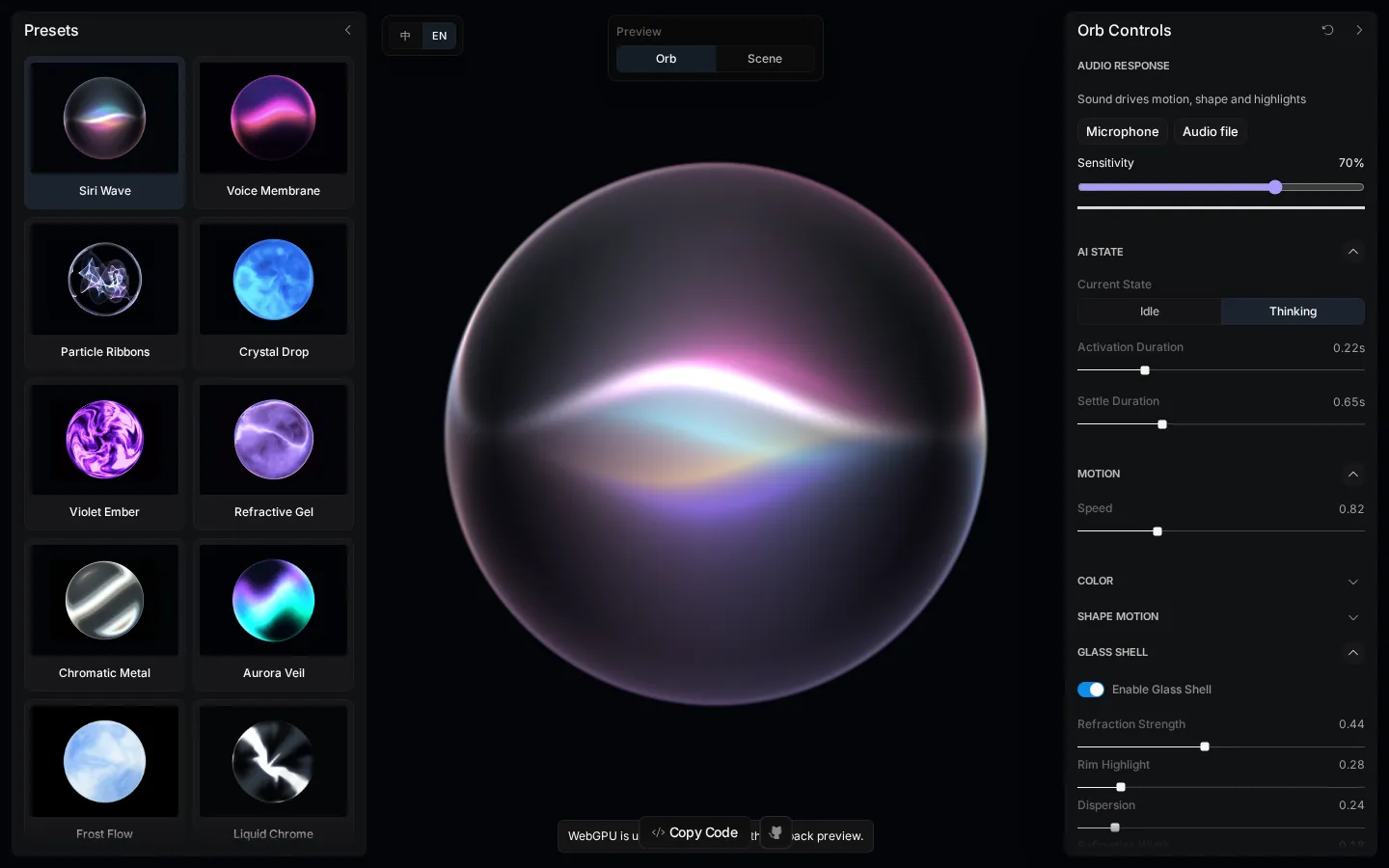
Liquid Orb Editor is a focused WebGPU workshop for animated, glassy status orbs. Pick one of 13 presets, adjust color, shape, motion, refraction, and glow, then preview it in a sample scene, share the setup by URL, or export reusable Web and SwiftUI/Metal code. It is unusually practical for a visual toy, provided your browser speaks WebGPU.
What is Liquid Orb Editor?
The editor takes the familiar glowing assistant orb and turns every slippery detail into a control: gradients, contour motion, flow distortion, highlights, refraction, edge softness, and the halo around the outside. A bare-orb view is useful for sculpting the material, while the scene view shows whether all that shimmer still belongs inside an interface. Settings travel in the URL hash, which makes a configuration easy to hand from designer to developer. The export path is the real payoff: the same parameter snapshot can become a standalone web page or SwiftUI with a Metal shader, and several presets can also react to local microphone or file audio.
What you can do there
- Choose and customize an animated orb preset
- Preview the orb alone or inside a sample scene
- Share settings through the URL
- Export standalone Web or SwiftUI and Metal code
- Drive supported presets with microphone or file audio
Why we picked it
Many shader experiments stop at a handsome canvas. This one keeps going until the effect can be shared, tested in context, and carried into Web or Apple-platform code. The narrow subject helps: instead of pretending to be a full animation suite, it gives one fashionable blob a very deep box of knobs.
How to get the most from it
Start with a preset close to the mood you want, then switch to Scene view before polishing tiny details. Adjust motion and shape first, color and glass second, and glow last. Share the URL for feedback; export code only after checking the same settings in the target platform.
Good to know
The live effect requires WebGPU; unsupported browsers may receive only a static fallback. Audio response is optional and limited to selected presets. Project documentation says microphone and chosen-file audio is analyzed locally and not uploaded, but that privacy behavior and cross-platform export parity were not independently audited.
Who made it, and when?
LerSent is the credited creator or organization.
Creator’s official page Open Liquid Orb EditorMore like this
Zoomquilt
An endlessly falling illustrated world nested inside itself.
Thisissand

Pour tiny grains of color into layered landscapes, patterns, and patient accidents.
Click Click Click

A green button that turns browser habits into a tiny surveillance drama.
Beige balls

Twelve colorful-looking spheres, one beige reality, and a tidy lesson in how nearby stripes boss your eyes around.