
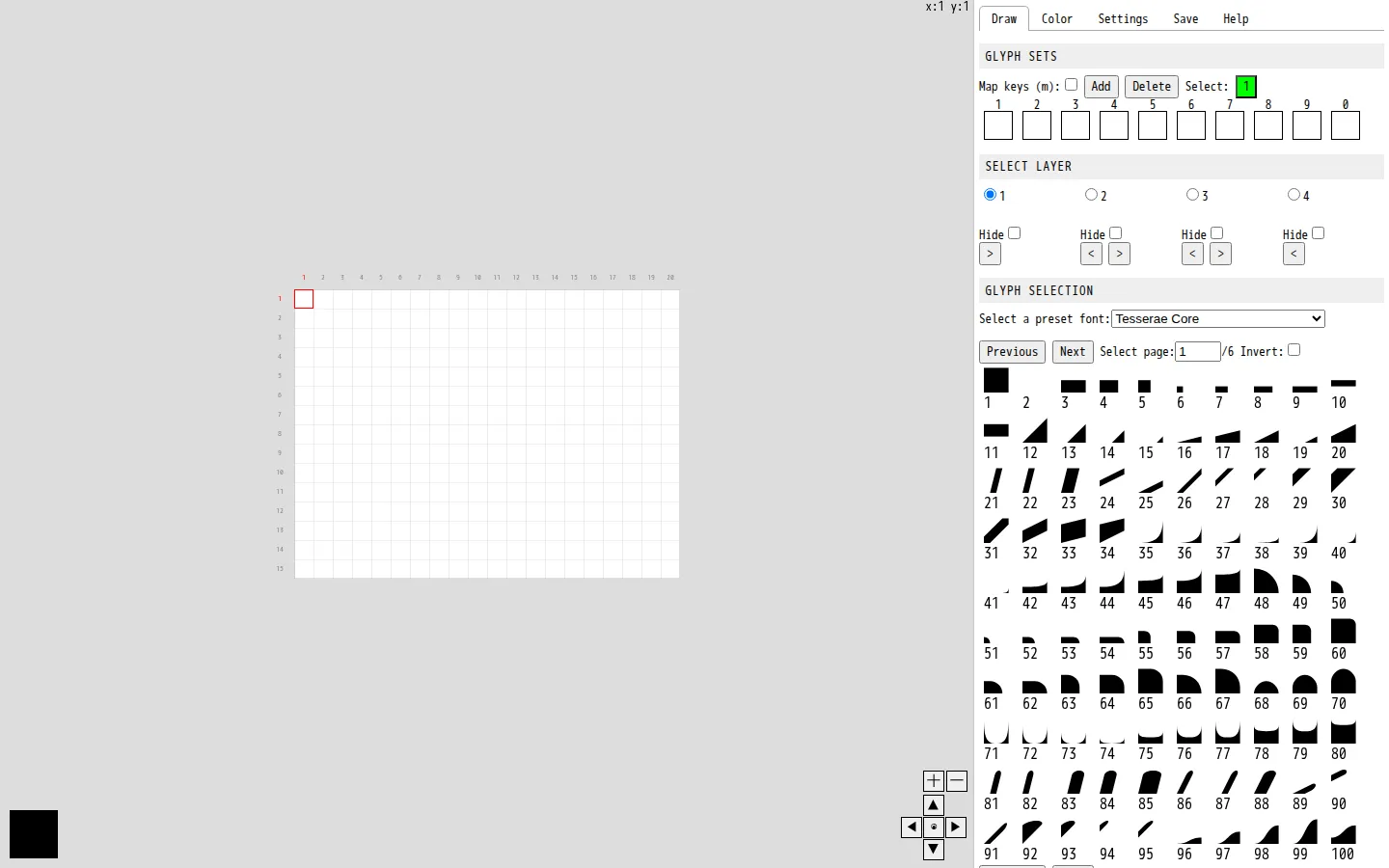
Glyph Drawing Club is a free modular text-art editor that lets you build images from glyphs instead of brushstrokes. The interface combines fonts, layers, transformations, color controls, and keyboard shortcuts so a character can become a tile, a mark, or the start of an illustration.
What is Glyph Drawing Club?
Glyph Drawing Club asks a pleasantly odd question: what if a typeface were not only for reading, but also a box of drawing supplies? The editor's visible controls make that idea practical. You can choose glyphs and preset fonts, work across layers, adjust a glyph's size and position, and use tools for rotating, flipping, inverting, filling, and transforming areas. It has the compact logic of a grid-based craft table, where every small mark can become part of a pattern, a letterform experiment, a little scene, or a stubbornly geometric creature. The first-party description frames the tool around modular graphic design and text art, while independent coverage places it in a broader interest in contemporary ASCII-inspired work. That is a useful distinction: the goal is not merely retro text pictures. The available glyphs and font controls invite type design, illustrations, concrete poetry, and designs that bend a familiar character set into something visual. The editor also foregrounds keyboard shortcuts, which suits a process where repeated moves and small adjustments matter. This profile did not create or export a piece, so saving and output behavior remain unknown. Still, the visible toolkit is enough to show why the site is special: it converts letters from a finished message into raw material.
What you can do there
- Choose glyphs and fonts
- Draw on a grid
- Transform and layer designs
Why we picked it
Most drawing tools begin with a blank canvas and a brush. Glyph Drawing Club begins with a limitation, and the limitation is the fun. A font has its own texture, rhythm, and stubborn shapes; arranging those pieces can make the design process feel closer to weaving, typesetting, or building a small mosaic than conventional illustration.
How to get the most from it
Start with one glyph set or font and make a small pattern before attempting a full scene. Use the layer controls to separate background structure from foreground details, then experiment with rotation, flipping, and color changes to see how much range one character can have. The site lists keyboard shortcuts, so keep the help area nearby and learn a few repeated moves instead of hunting through every control.
Good to know
Glyph Drawing Club is an editor built around glyphs, grids, and keyboard-driven transformations, so it may feel less immediate than a freehand paint tool. The destination says work made with the tool can be used privately or commercially, but saving, exporting, font handling, and output quality were not tested for this profile. Keyboard, screen-reader, touch, mobile, performance, and accessibility behavior also remain unverified.
Who made it, and when?
Heikki Lotvonen is the credited creator or organization.
Open Glyph Drawing ClubMore like this
AutoDraw

Sketch badly on purpose and let machine-assisted suggestions turn it into a crisp icon.
Calligrapher.ai
A browser scribble machine that gives typed words a wobblier set of shoes.
Sketch Toy: Draw sketches and share replays with friends!

A doodle pad that remembers every stroke and turns the making into the show.
Wombo Dream AI

A prompt-powered sketchbook for images and video.