
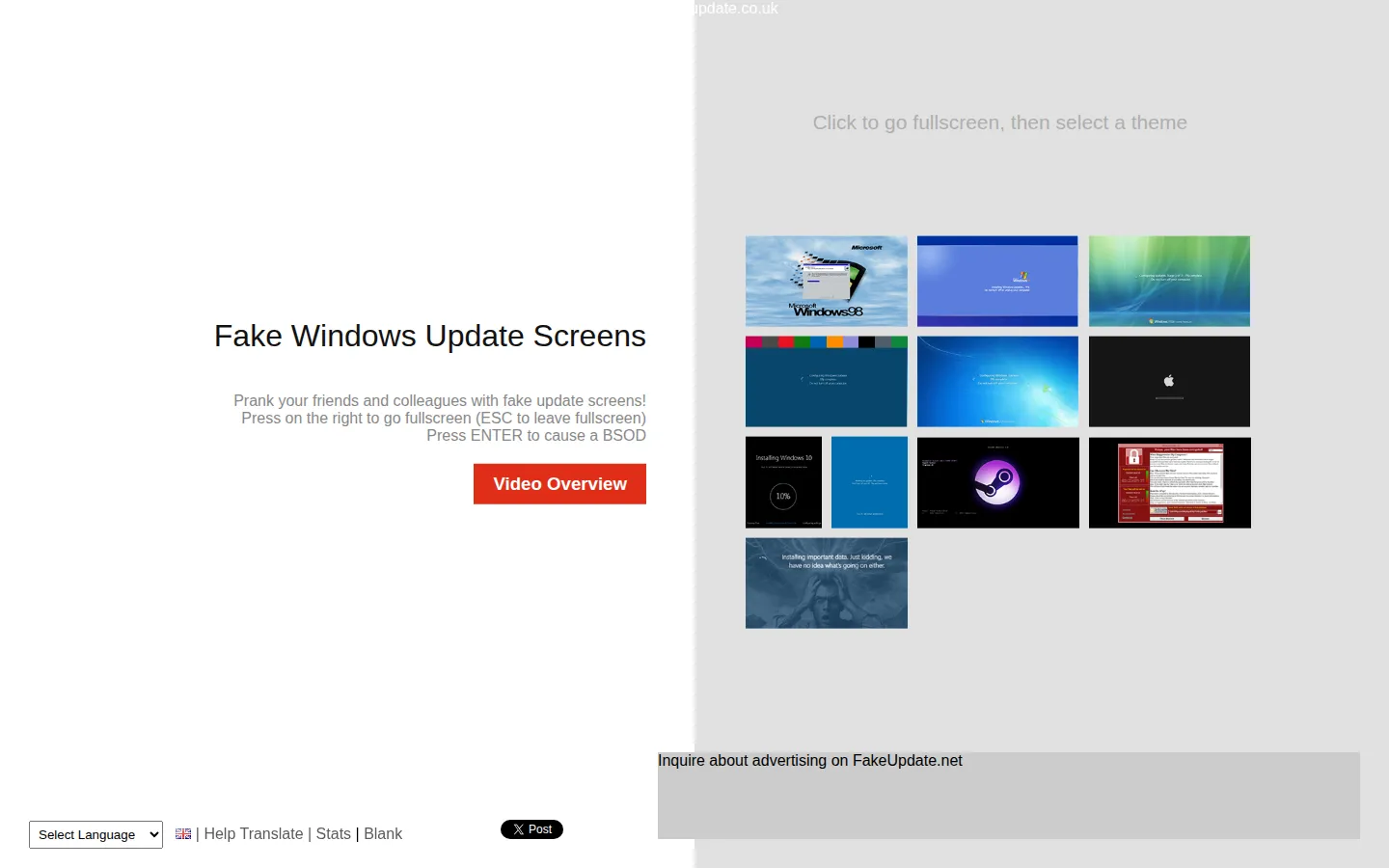
FakeUpdate.net is a browser prank page that stages fake Windows update screens. Its landing page offers a theme selector and full-screen behavior, so the joke is deliberately visual rather than a real software tool. Keep it consensual, brief, and far away from someone who thinks their machine has actually failed.
What is Fake Update?
FakeUpdate.net takes one familiar computer anxiety—the update screen that has eaten an afternoon—and turns it into a one-purpose prop. The page is blunt about the premise: fake Windows update screens, a theme selector, and controls meant to make the browser occupy the whole display. A simulated blue-screen outcome is also labeled on the landing page. The appeal is not technical realism for its own sake; it is recognition. An update progress display is convincing because nearly everyone has waited beside one. Independent coverage describes the page as a browser-based simulation with selectable themes and apparent progress, not an installer or system repair tool. That distinction matters. Use it only with people who will understand the gag quickly, and never in a support, classroom, workplace, accessibility, or shared-device situation where a fake failure could become a real interruption.
What you can do there
- Choose a fake update-screen theme
- Display an update simulation
- Enter browser fullscreen mode
Why we picked it
The site has an unusually clean joke: it borrows a deeply familiar interface, strips away every productive feature, and leaves the suspenseful waiting room. Its theme selector makes the premise legible without asking visitors to download or configure software.
How to get the most from it
Treat this as a brief, opt-in visual gag on a browser you control. Pick a screen theme only after the other person is in on the joke, and leave a clear path back to the regular browser. Do not use it to block work, impersonate a real failure, or pressure someone into a computer decision.
Good to know
FakeUpdate.net is a simulation, not a genuine operating-system update or repair tool. The page advertises fullscreen behavior and a simulated error screen. This pass did not activate either, and theme behavior, browser compatibility, privacy, ads, accessibility, and touch support remain unverified.
Open Fake UpdateMore like this
CERN Line Mode Browser

A link list from the Web before it learned to decorate itself
Quenq

An interactive museum for playable internet history.
The Million Dollar Homepage
One million pixels from a gloriously chaotic web experiment.
Windows 93

A fake 1993 desktop where every click may take a glorious wrong turn.