
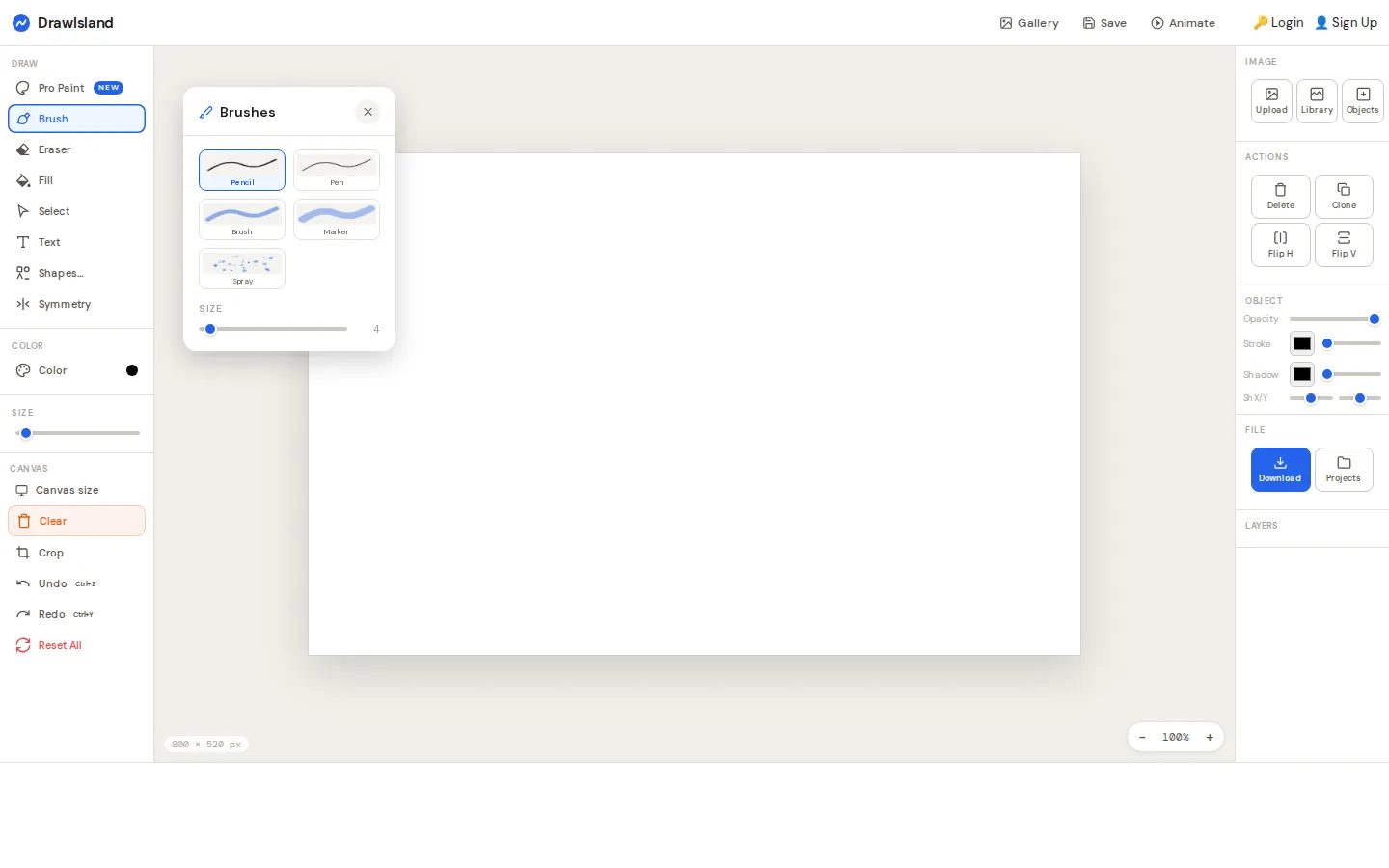
DrawIsland opens on an 800 by 520 canvas with pencils, shapes, text, layers, image tools, and export controls already on deck. It works as a quick browser sketchpad without an account, but there is more under the paint: local projects, frame-by-frame animation, and a moderated public gallery for people who choose to sign up.
What is DrawIsland?
The editor feels like a familiar paint program that kept finding useful tools in the supply closet. The current interface presents freehand brushes, selectable objects, fills, text, shapes, image upload, filters, layers, cropping, zoom, and undo controls around one central canvas. Finished stills can be prepared as PNG, JPG, or PDF, while a separate animation panel turns repeated canvas captures into a short sequence. A local Projects drawer holds up to five named works and can move them through JSON export and import. The public gallery adds a social wing, complete with likes, comments, remix permission, and a reminder that throwaway test strokes belong in local projects rather than the moderation queue.
What you can do there
- Draw and arrange artwork on a browser canvas
- Export still images as PNG, JPG, or PDF
- Capture frames for a simple animation
- Save projects locally or share finished work to the gallery
Why we picked it
DrawIsland occupies a pleasant middle ground between a one-button doodle toy and a heavyweight art suite. You can begin with a pencil immediately, then uncover object properties, filters, layers, multiple export formats, and a 30-frame animation maker without first installing software. That gradual reveal gives a casual sketch room to become a small production, while the gallery makes the place feel inhabited rather than sterile.
How to get the most from it
Begin with the plain pencil and the default canvas, then switch to Select when you want to move, resize, clone, flip, or layer an object. Use Projects for experiments and browser-local saves. For animation, draw a state, capture a frame, change the canvas, and repeat before previewing. Save gallery submission for work you actually want another person to review.
Good to know
The basic editor is free and does not require an account; publishing to the gallery does. Project saves are documented as browser-local and limited to five, so export the JSON if a piece matters. DrawIsland's privacy page says third-party advertising may collect browsing data and session cookies may be used. Live drawing, downloads, autosave, account flows, advertising, and accessibility were not exercised during this check.
Open DrawIslandMore like this
Zoomquilt
An endlessly falling illustrated world nested inside itself.
Thisissand

Pour tiny grains of color into layered landscapes, patterns, and patient accidents.
Click Click Click

A green button that turns browser habits into a tiny surveillance drama.
Beige balls

Twelve colorful-looking spheres, one beige reality, and a tidy lesson in how nearby stripes boss your eyes around.