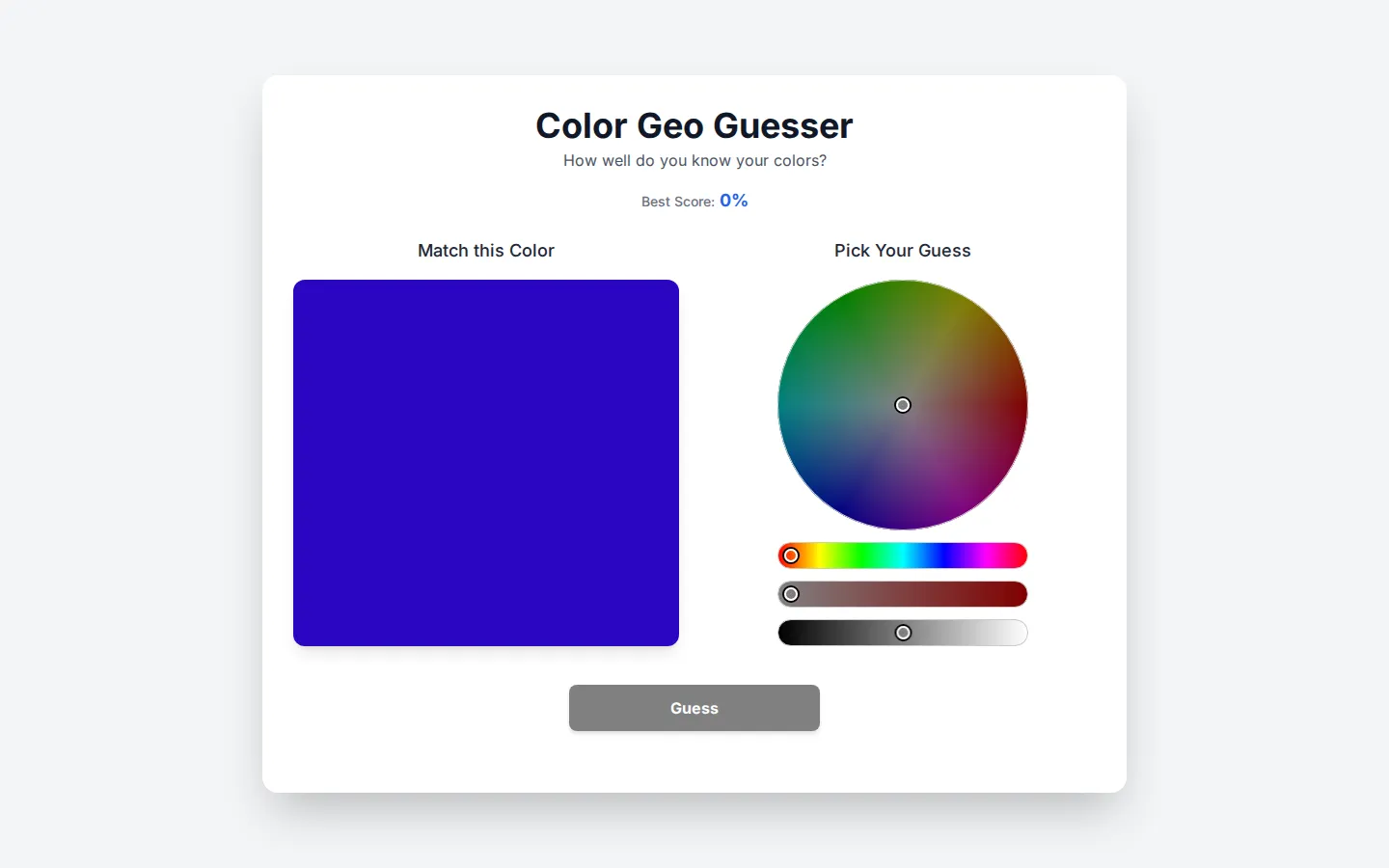
Color Geo Guesser compresses a visual judgment test into one spare page: study the target, shape a guess, and put it to the button. A best-score readout gives the exercise just enough competitive static to invite another round.
What is Color GeoGuessr?
The page wastes no time building lore around the challenge. A target-color section, a separate guessing section, and one plainly labelled button make the intended loop legible before anything is pressed. That narrow focus is the charm: it turns a slippery question—how accurately can you read a color?—into a compact browser dare. The name borrows GeoGuessr's challenge-shaped rhythm, but the visible terrain is hue rather than geography.
What you can do there
- Compare a target color with a chosen guess
- Submit a color guess
Why we picked it
It makes an abstract bit of visual judgment feel concrete with almost no ceremony. The target-and-guess framing is immediately understandable, while the best-score display adds a small hook for people who enjoy testing their design eye against itself.
How to get the most from it
Study the target area first, build your answer in the guessing area, and press Guess only when the two feel aligned. Treat the displayed Best Score as the invitation to refine your eye over another round instead of chasing perfection immediately.
Good to know
This is a visual color challenge, not a map game. Keyboard and touch behavior, score persistence, audio, color-vision accommodations, and the exact scoring method are undocumented on the visible page, so do not treat a result as a formal vision assessment.
Open Color GeoGuessrMore like this
Zoomquilt
An endlessly falling illustrated world nested inside itself.
Thisissand

Pour tiny grains of color into layered landscapes, patterns, and patient accidents.
Click Click Click

A green button that turns browser habits into a tiny surveillance drama.
Beige balls

Twelve colorful-looking spheres, one beige reality, and a tidy lesson in how nearby stripes boss your eyes around.