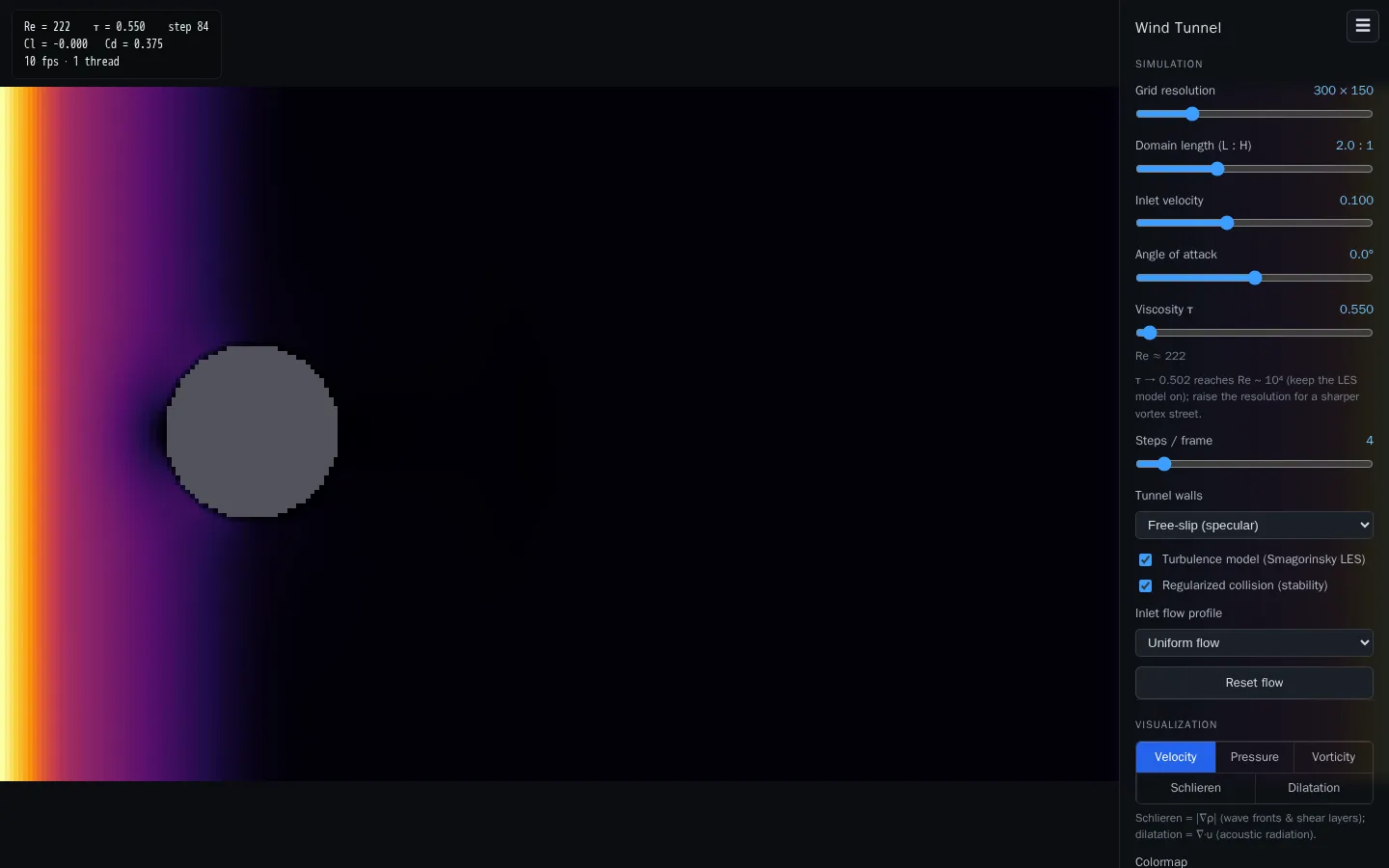
Web-LBM puts a two-dimensional computational wind tunnel in one browser tab. Drop in a cylinder or airfoil, sketch your own obstruction, change the flow, and switch among velocity, pressure, vorticity, schlieren, and dilatation views while the model updates around your experiment.
What is Web-LBM?
This is less a soothing fluid toy than a compact laboratory bench. The control panel exposes grid size, inlet speed, angle of attack, viscosity, wall behavior, turbulence modeling, and collision stabilization. In the tunnel, you can place standard shapes, spin a cylinder, paint a wall, and compare several views of the same moving field. Lift and drag readouts connect the picture to aerodynamic quantities, while virtual pressure microphones turn vortex shedding into a spectrum. The underlying project uses a C-based Lattice Boltzmann solver compiled to WebAssembly and a WebGL2 renderer, which is an enjoyably serious engine for something you can disturb with a mouse scribble.
What you can do there
- Place or draw obstacles in a simulated flow
- Adjust aerodynamic and numerical parameters
- Switch among five field visualizations
- Measure force and pressure behavior
Why we picked it
Web-LBM shortens the distance between a technical phrase and a visible consequence. Change an airfoil's angle, swap the field view, or draw an awkward obstacle and the page is designed to show what those choices do. It rewards both casual poking and the kind of deliberate experiment that begins with, “What if the cylinder spins?”
How to get the most from it
Start with the default cylinder and choose Vorticity so the wake has an easy-to-read structure. Then place a NACA airfoil and adjust its angle, or draw a custom wall directly on the canvas. Add a microphone downstream only after the basic flow is clear; the spectrum is more useful when you know what produced it.
Good to know
The simulation depends on WebAssembly and WebGL2, and its faster threaded mode needs browser isolation support; the project documents a single-thread fallback. Numerical stability and scientific accuracy were not independently benchmarked here, so treat it as an exploratory learning tool rather than a certified engineering calculation.
Who made it, and when?
Valentin Caries is the credited creator or organization.
Creator’s official page Open Web-LBMMore like this
Neal.fun

A cabinet of interactive ideas that makes learning feel suspiciously like play.
Quick, Draw!

Doodle against the clock while a neural network tries to guess your subject.
Sandspiel

Paint with sand, water, fire, plants, oil, and other tiny materials that react to one another.
WebGL Fluid Simulation

Push luminous liquid color around the screen and watch digital turbulence behave beautifully.