
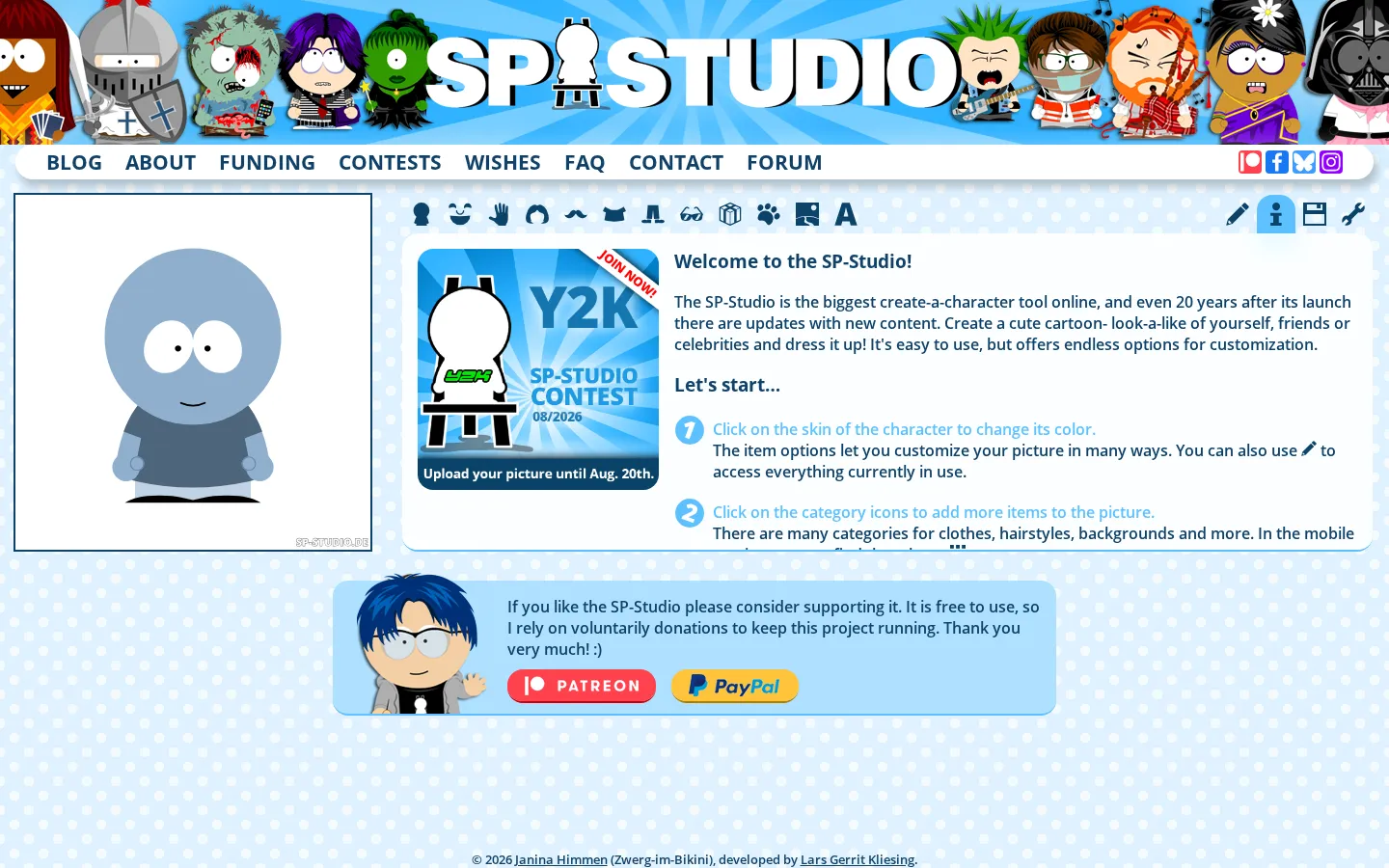
SP-Studio is a free, donation-supported cartoon character maker with a South Park-inspired silhouette and far more knobs than the premise suggests. Start with the blue default figure, then pile on hair, clothing, props, creatures, scenery, and text before saving the result as an image, SVG, or editable link.
What is SP-Studio?
The opening canvas looks simple: one squat blue character waiting for a wardrobe intervention. Across the menu, though, SP-Studio spreads out a large cabinet of skin choices, facial details, hair, clothes, accessories, handheld objects, creatures, places, and text. Parts can be recolored and rearranged, while the lock feature lets determined builders stack pieces instead of accepting one item per slot. That makes it useful for a quick profile picture, but the real charm appears when you treat it like a tiny collage bench and start combining items in ways their labels never anticipated. The project began in 2002, survived the end of browser Flash through a React rebuild, and still receives new item drops.
What you can do there
- Assemble a cartoon character from modular parts
- Recolor, move, rotate, flip, and layer items
- Download the picture or preserve it as an editable link
Why we picked it
Longevity is only half the story. SP-Studio has kept the immediate appeal of a dress-up toy while accumulating enough positioning, color, layering, and export control to reward fussier character builders. The recent update trail also shows a personal web project that is still adding odd little ingredients instead of sitting behind museum glass.
How to get the most from it
Change the blue starter skin first, then hop between categories rather than trying to finish the character from head to toe. Open an item's options to recolor or reposition it, and use the lock control when two pieces need to share a category. Save an editable link before a major experiment; download PNG for ordinary sharing or SVG when you need scalable output. On a phone or tablet, the creator recommends portrait orientation.
Good to know
This is an unofficial fan project, not a South Park or Comedy Central product. It is free and does not require registration, but the library includes some adult-oriented props, so teachers and parents should preview it. Browser storage can preserve the current composition, while clearing site data can erase that state. Some iOS browsers have documented download quirks. Read the reuse terms before putting an image into paid, promotional, logo, or merchandise work.
Who made it, and when?
Janina Himmen is the credited creator or organization. The earliest supported launch date we found is 2002. A documented update was recorded May 31, 2026.
Creator’s official page Open SP-StudioMore like this
The Library of Babel

Search an imaginary library that contains every possible page of a fixed length—including this sentence somewhere.
FutureMe

Write an email to yourself and choose a date far enough away to make it meaningful.
Wowfold

A paper-plane hangar stocked with darts, gliders, and expert oddballs
Arcane Intern

A magical publishing internship where coffee runs come with sigils.