
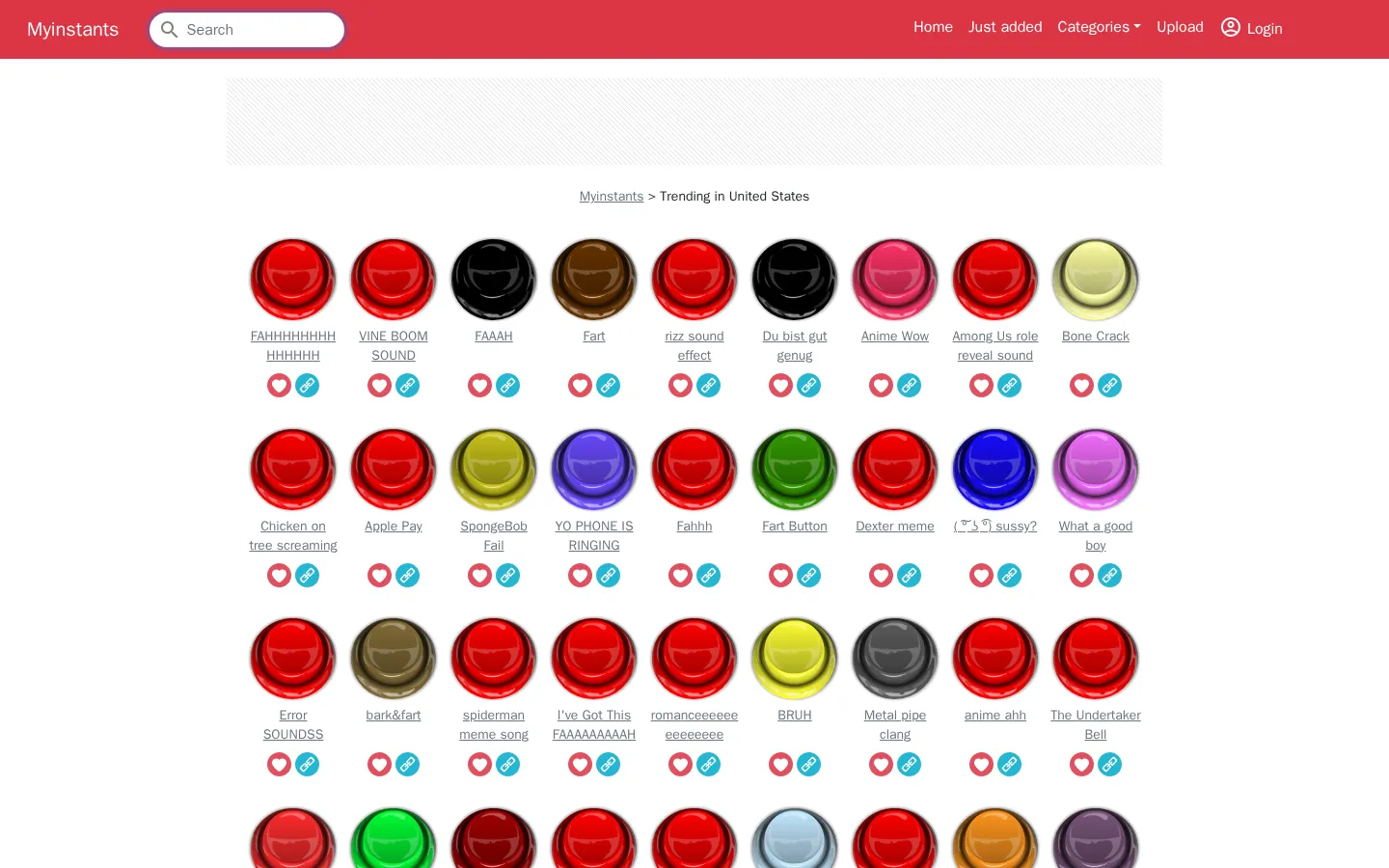
Myinstants sorts a sprawling, user-fed soundboard into trending, all-time, recent, and category views. Open a clip for its sharing, download, report, and embed tools, or simply roam the front page until a perfectly mistimed noise presents itself.
What is Myinstants?
The front page resembles a vending machine stocked entirely with noises: short titles sit in a localized trending grid, while menus lead to fourteen themed categories, a hall of fame, and a fast-moving recent feed. Each title leads to its own detail page with popularity counts and practical ways to copy, share, download, report, or embed the clip. The collection moves freely from classic reaction cues to niche jokes and multilingual uploads, so browsing is half lookup tool, half audio grab bag.
What you can do there
- Browse trending, all-time, recent, or categorized sound buttons
- Open a clip page to copy, share, download, report, or embed it
Why we picked it
The library's strength is not careful curation; it is the speed with which a familiar sound can be found, opened, and carried elsewhere. The individual pages give every tiny noise a surprisingly complete toolkit, and independently built add-ons show that this utility extends beyond idle button-mashing.
How to get the most from it
Start with Hall of Fame when you want a recognizable cue, or use Categories and search for something narrower. Open a promising title before sharing or downloading so you can check its label, popularity, and reporting options. Keep the volume modest until you know what the button contains.
Good to know
The terms say visitors should be at least 18, and the recent feed can include adult-labeled or coarse user uploads. Uploading and saved favorites require an account. The privacy policy describes cookies, interaction tracking, Google Analytics, and Playwire-managed advertising, so this is not a privacy-light toy.
Open MyinstantsMore like this
The Library of Babel

Search an imaginary library that contains every possible page of a fixed length—including this sentence somewhere.
FutureMe

Write an email to yourself and choose a date far enough away to make it meaningful.
Wowfold

A paper-plane hangar stocked with darts, gliders, and expert oddballs
Arcane Intern

A magical publishing internship where coffee runs come with sigils.