
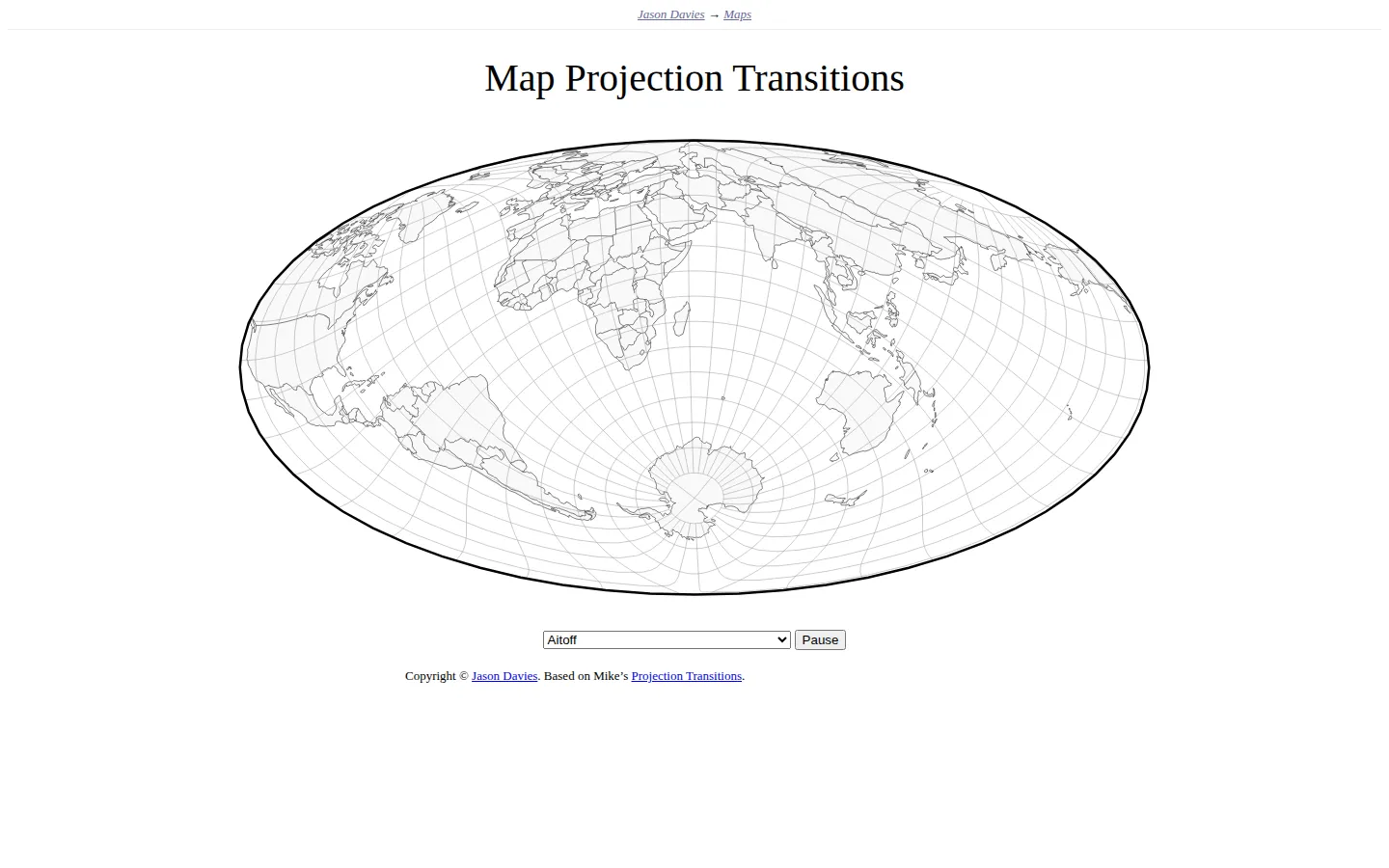
Jason Davies' map toy continuously reshapes a gridded world map through a broad range of projections. Pause the cycle, choose a projection, and rotate the globe to compare how a familiar planet changes when spherical geography is flattened. It is a vivid demonstration, not a full lesson in cartographic tradeoffs.
What is Map Projection Transitions?
Map Projection Transitions gives one world map a very busy wardrobe. The coastline, country outlines, and latitude-longitude grid stretch, pinch, bow, and split as the display moves from one mathematical projection to another. A selector and Pause control let the parade become a closer comparison, while documented pointer rotation exposes the same projection from normal, transverse, and oblique aspects. That last trick matters: distortion is not just a property of a named projection, but also of how the globe is oriented before it is flattened. The page keeps explanatory furniture to a minimum, so the moving geometry does nearly all the talking.
What you can do there
- Watch a world map morph between projections
- Pause and choose a projection
- Rotate the map to compare projection aspects
Why we picked it
Projection distortion is easy to acknowledge and hard to feel. A smooth morph makes the tradeoffs visible in seconds: continents swell or narrow, graticules bend, and the map's outer boundary changes character. The result is both a handsome mathematical toy and a sharp prompt to question any flat map that looks inevitable.
How to get the most from it
Let several automatic transitions run first, then pause on a shape that looks surprising. Choose a familiar projection next and rotate the map to compare different aspects. Watch the graticule and the edges of continents rather than trying to memorize names. Pair the page with a cartography reference if you want to understand which properties each projection preserves or sacrifices.
Good to know
The page is freely accessible and very sparse; it assumes curiosity but supplies little explanation of projection mathematics. Published descriptions disagree about the exact number of available projections, so no current count is claimed here. Continuous motion is central to the experience, and reduced-motion, accessibility, device support, privacy behavior, and live controls were not tested in a rendered session.
Who made it, and when?
Jason Davies is the credited creator or organization.
Creator’s official page Open Map Projection TransitionsMore like this
The Pudding

Visual essays that use code, data, and interaction to explain culture unusually well.
Earth Nullschool

A living globe of wind, weather, ocean currents, and atmospheric motion.
The True Size Of…

Drag countries around the map and watch familiar size comparisons fall apart.
MapCrunch

Drop into a random street-level view somewhere in the world and figure out where you landed.