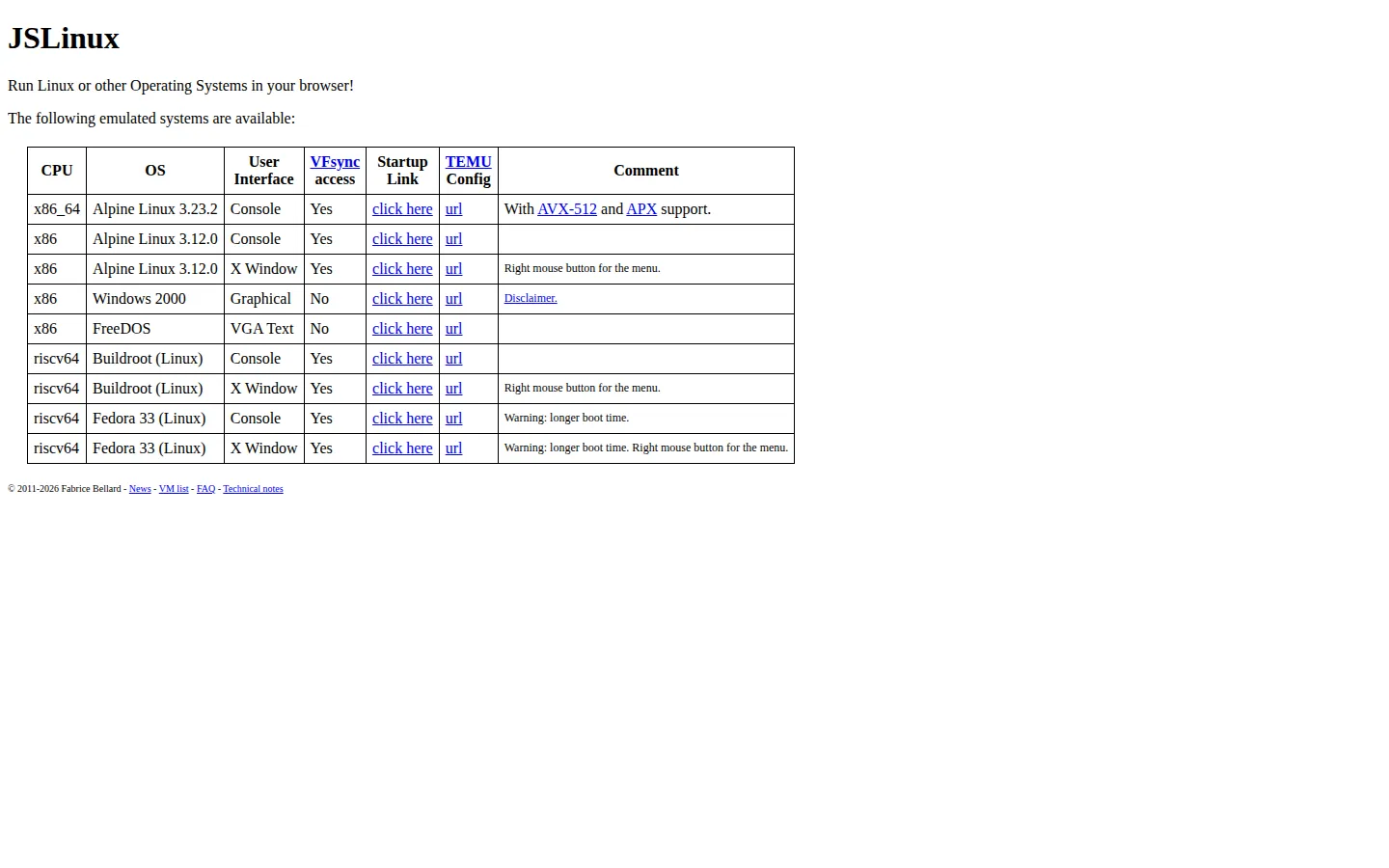
JSLinux turns a plain web page into a miniature computer lab. Pick an x86 or RISC-V machine, choose a console or graphical system, and launch anything from Alpine Linux to FreeDOS or Windows 2000, with no account, installer, or beige tower required.
What is JSLinux?
This is genuine machine emulation rather than a terminal-shaped stage prop. JSLinux recreates processors and enough virtual hardware to start complete operating systems inside the browser, with current choices covering x86_64, older x86, and RISC-V. Some machines drop you at a Linux prompt; others open an X Window desktop, FreeDOS, or Windows 2000. The project began in 2011 and has kept mutating underneath its deliberately spare index page, moving through hand-written JavaScript, asm.js, and a TinyEMU-based WebAssembly implementation. It now supports modern x86_64 features while keeping its most charming trick intact: click a modest text link and a second computer begins assembling itself inside the first one.
What you can do there
- Boot Linux, FreeDOS, or Windows 2000 inside a browser tab
- Use console or graphical virtual machines across x86 and RISC-V
- Practice Unix commands and compile small programs
- Upload files to Linux guests and export files back to the browser
Why we picked it
JSLinux makes a deeply technical feat immediately legible. You do not need to understand CPU emulation to enjoy watching an operating system wake up where an ordinary webpage should be. Once the novelty lands, there is real room to learn: explore a shell, compile a small C program, compare architectures, or use it as a hands-on companion to an operating-systems lesson.
How to get the most from it
Start with the x86_64 Alpine console for the cleanest introduction, then try an X Window build if you want the full desktop-in-a-page effect. At the prompt, inspect the filesystem and available commands before attempting anything ambitious. The official FAQ explains file upload, export, keyboard mapping, and URL options for memory or display size.
Good to know
A physical keyboard and a reasonably large screen make this much more pleasant, although the console provides a touch keyboard on mobile devices. Graphical builds use a right-click menu, Fedora can take longer to start, and the shared network connection is intentionally slow and limited. Windows 2000 also carries a separate disclaimer.
Who made it, and when?
Fabrice Bellard is the credited creator or organization. The earliest supported launch date we found is 2011. A documented update was recorded March 9, 2026.
Creator’s official page Open JSLinuxMore like this
Neal.fun

A cabinet of interactive ideas that makes learning feel suspiciously like play.
Quick, Draw!

Doodle against the clock while a neural network tries to guess your subject.
Sandspiel

Paint with sand, water, fire, plants, oil, and other tiny materials that react to one another.
WebGL Fluid Simulation

Push luminous liquid color around the screen and watch digital turbulence behave beautifully.