
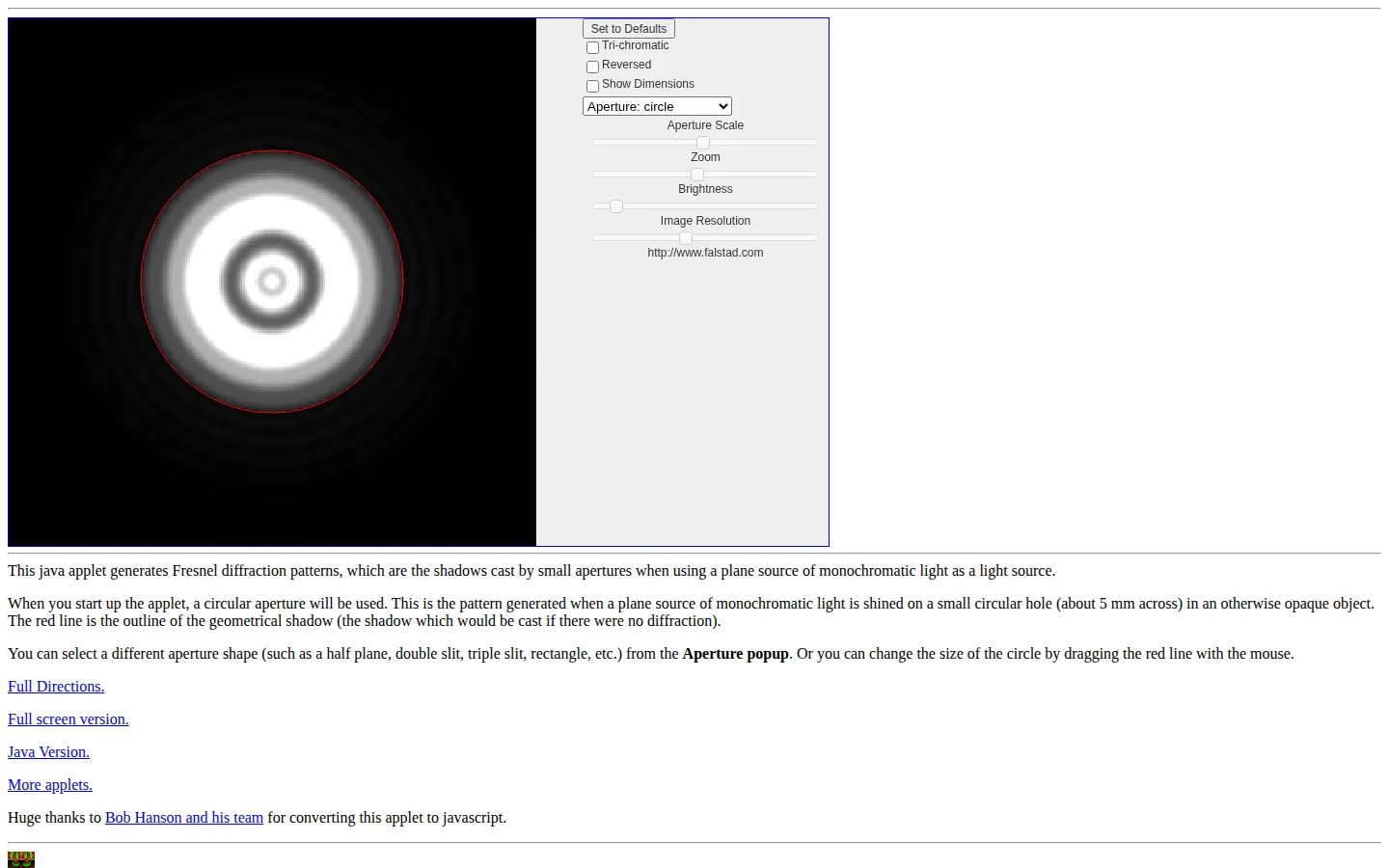
Fresnel Diffraction is a compact optics simulator for seeing how small openings and obstacles bend a clean geometric shadow into rings, fringes, and color. Swap aperture shapes, resize their boundaries, tune the display, and compare the calculated pattern with the red outline that light would draw if diffraction politely stayed home.
What is Fresnel Diffraction?
The default scene begins with a circular opening and its near-field diffraction pattern, but the aperture menu expands the experiment to slits, half-planes, rectangles, corners, crosses, and other shapes. Aperture scale changes the opening relative to the wavelength, while separate zoom and brightness controls help reveal structure that can disappear into large pale or dark regions. A tri-chromatic option combines three wavelengths, reversed mode turns openings into obstacles, and dimension labels make the setup useful for more than visual noodling. The interface carries its applet ancestry plainly, yet the underlying question—what shape does a shadow become when waves refuse to travel straight?—still lands immediately.
What you can do there
- Generate near-field diffraction patterns for different aperture shapes
- Change aperture scale, brightness, resolution, color mode, and dimensions
Why we picked it
The red geometric-shadow outline gives every diffraction pattern a built-in before-and-after comparison. That small piece of visual bookkeeping makes an abstract optics effect much easier to read. University physics resources independently recommend the simulator for classroom visualization, and one current laboratory exercise uses its double-slit mode for quantitative work.
How to get the most from it
Start with the circular opening and compare the bright pattern against the red outline. Lower the aperture scale to strengthen diffraction, then try a single slit and double slit before adding color. Adjust brightness before assuming a blank-looking region is featureless, and raise image resolution only after the other controls are settled.
Good to know
The design comes from an older Java applet, although the collection says it has been converted to JavaScript for current browsers. High resolution and tri-chromatic calculations can slow the experience, and the reset button is the documented escape hatch. Treat it as an educational model rather than certified optical-design software.
Who made it, and when?
Paul Falstad is the credited creator or organization.
Creator’s official page Open Fresnel DiffractionMore like this
Neal.fun

A cabinet of interactive ideas that makes learning feel suspiciously like play.
Quick, Draw!

Doodle against the clock while a neural network tries to guess your subject.
Sandspiel

Paint with sand, water, fire, plants, oil, and other tiny materials that react to one another.
WebGL Fluid Simulation

Push luminous liquid color around the screen and watch digital turbulence behave beautifully.