
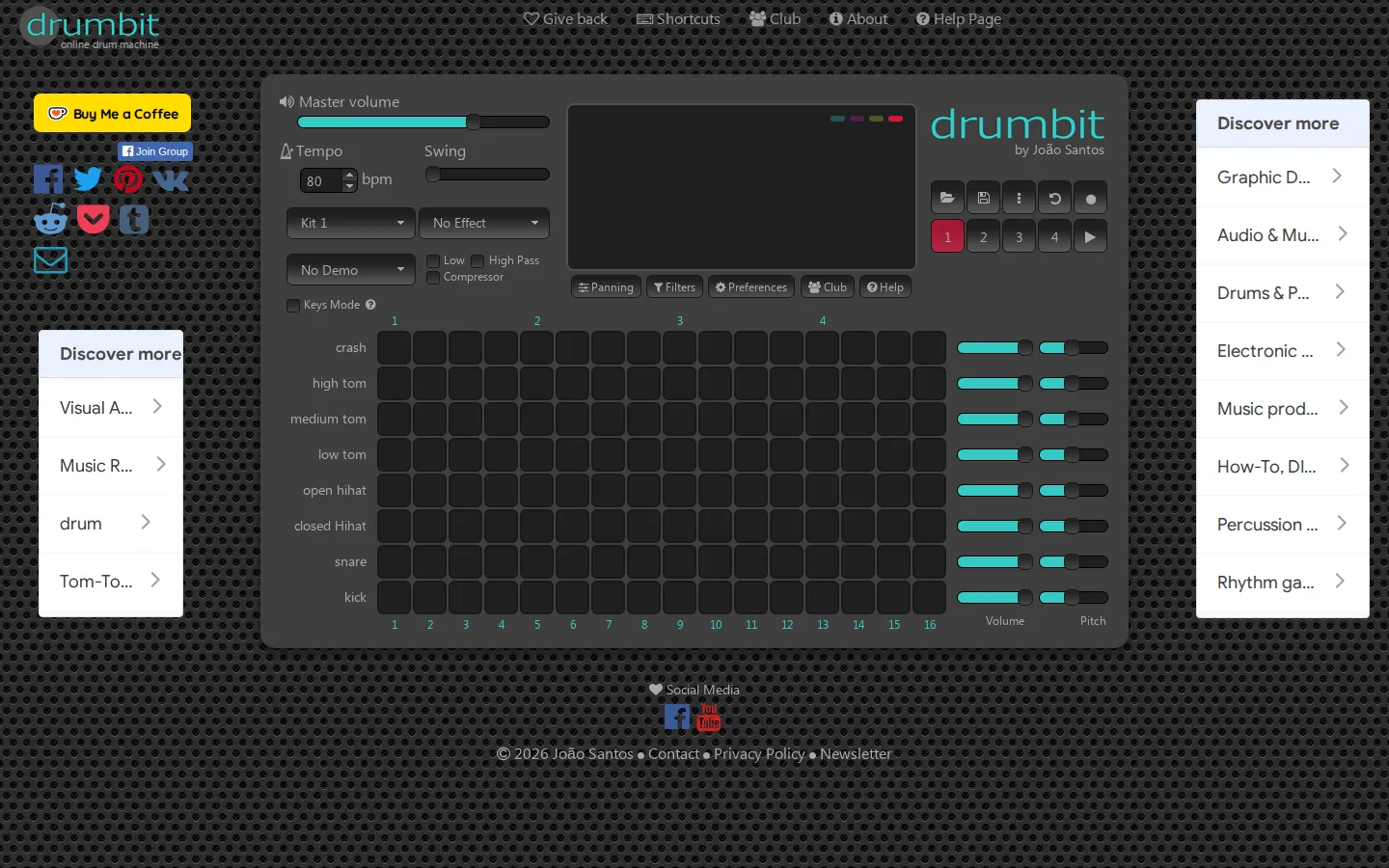
drumbit puts a step sequencer, multiple kits, swing, effects, and audio recording into one browser page. It is approachable enough for a first rhythm exercise but has enough mixing controls to make a quick beat feel deliberately shaped.
What is drumbit?
The heart of drumbit is a familiar step grid: choose the cells where each drum should land, press play, and listen to the pattern loop. Four pattern slots give a small amount of structure, while tempo, swing, per-track pitch and volume, panning, filters, room effects, and compression let you roughen or polish the groove. Patterns can be copied, saved for later, or recorded as audio. A substantial shortcut list also makes the page more than a mouse-only box-tapping exercise, with keys for transport, files, panels, pattern selection, and movement around the grid.
What you can do there
- Build drum patterns on a step grid
- Adjust kits, tempo, swing, pitch, volume, panning, and effects
- Save patterns or record them as audio
Why we picked it
It finds a sweet spot between toy and workstation. The first kick-snare loop is easy to understand, but the extra sound controls mean curiosity has somewhere to go after the beat starts nodding back.
How to get the most from it
Start with one pattern and a simple kick on the quarter notes, then add snare and hi-hat cells. Change the kit before reaching for effects, add a little swing, and only then use pitch, panning, filters, or compression. Save the pattern or record the result before clearing the grid.
Good to know
Sound is the whole point, so headphones are the polite move. The page documents keyboard navigation and file commands, while its Club, newsletter, donation, and contact links sit outside the core beat-making flow. It is a focused drum sequencer, not a full song-production studio.
Who made it, and when?
Joao Santos is the credited creator or organization.
Creator’s official page Open drumbitMore like this
Radio Garden

Spin the globe and tune into live radio stations almost anywhere on Earth.
Chrome Music Lab

Friendly musical experiments that explain rhythm, melody, sound waves, and harmony by letting you play.
Blob Opera

Conduct four cheerful blobs whose vowel-shaped voices turn almost any gesture into opera.
Patatap

Turn every letter key into a synchronized burst of sound and animation.