
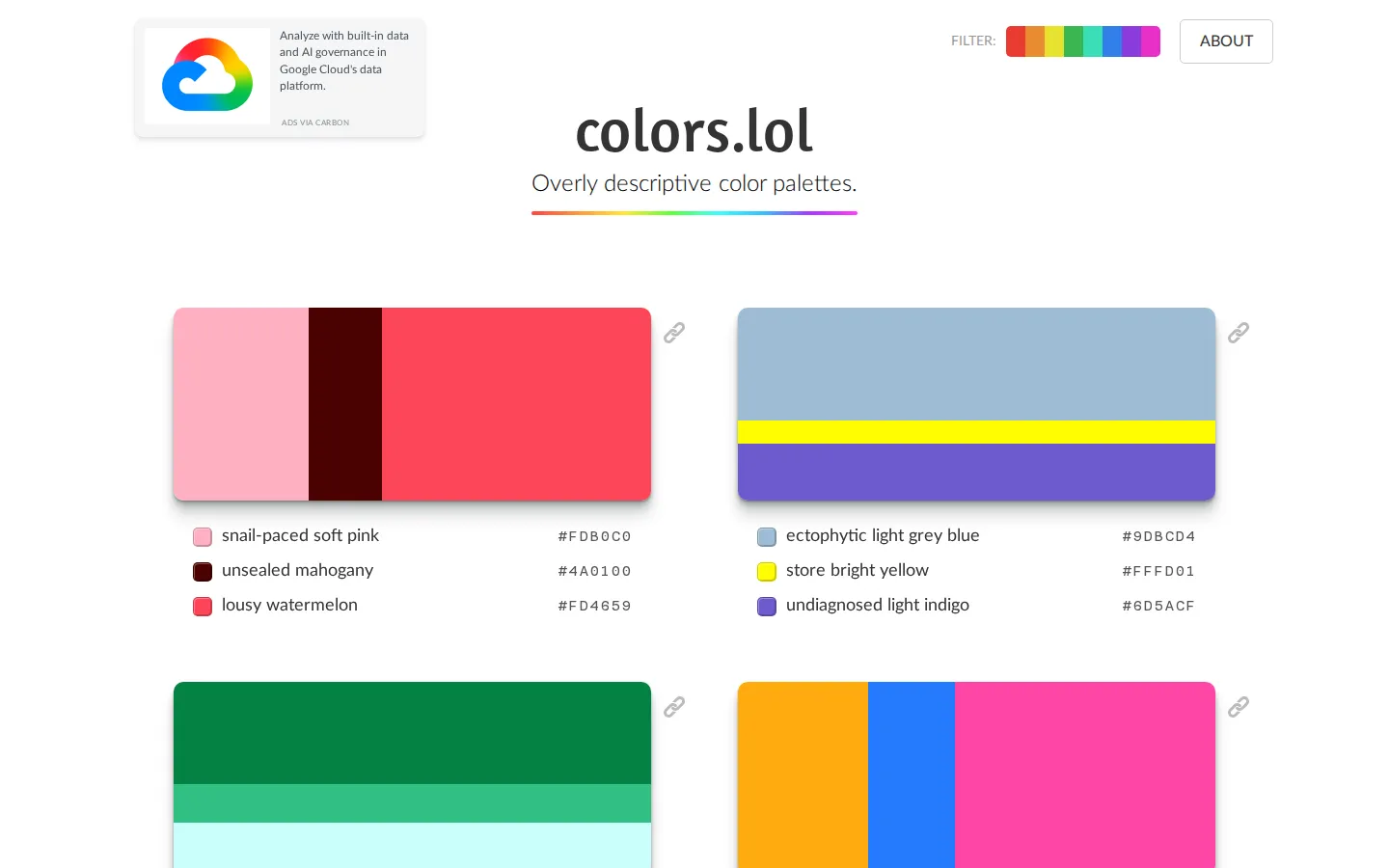
colors.lol gathers color palettes and gives each swatch a wildly overqualified name. It is less a sober design-system utility than a quick source of visual prompts, where hex values arrive with verbal side quests.
What is colors.lol?
The front door promises overly descriptive color palettes, and the joke is built into the inventory: familiar swatches are paired with names that sound as if a dictionary wandered into a paint store. Under the wordplay sits a straightforward browsing idea. The project’s public repository says the palettes were hand-selected from the @colorschemez bot, whose feed combines colors with descriptions; an independent walkthrough also documented hue filtering and hexadecimal values. That makes the site useful when a blank palette feels too open-ended. Browse a few combinations, notice the temperature or contrast you want to borrow, then take the hex codes elsewhere. Treat the labels as seasoning, not standards documentation.
What you can do there
- Browse color palettes
- Filter palettes by hue
Why we picked it
Most palette tools focus on control. colors.lol is more interested in giving a designer a nudge and a grin at the same time. The collision of practical hex codes and unruly names makes ordinary palette browsing feel memorable.
How to get the most from it
Start by skimming palettes, then use the hue filters if you already know the color family you want. Open a promising combination, copy the hexadecimal values you need, and test them in the actual context where you plan to use them.
Good to know
The palette labels are playful descriptions, not accessibility guidance. No current contrast audit or formal accessibility documentation was verified for this profile, so check contrast, color-vision needs, and brand requirements before putting a combination into production.
Who made it, and when?
Adam Fuhrer is the credited creator or organization.
Open colors.lolMore like this
The Library of Babel

Search an imaginary library that contains every possible page of a fixed length—including this sentence somewhere.
FutureMe

Write an email to yourself and choose a date far enough away to make it meaningful.
Wowfold

A paper-plane hangar stocked with darts, gliders, and expert oddballs
Arcane Intern

A magical publishing internship where coffee runs come with sigils.