
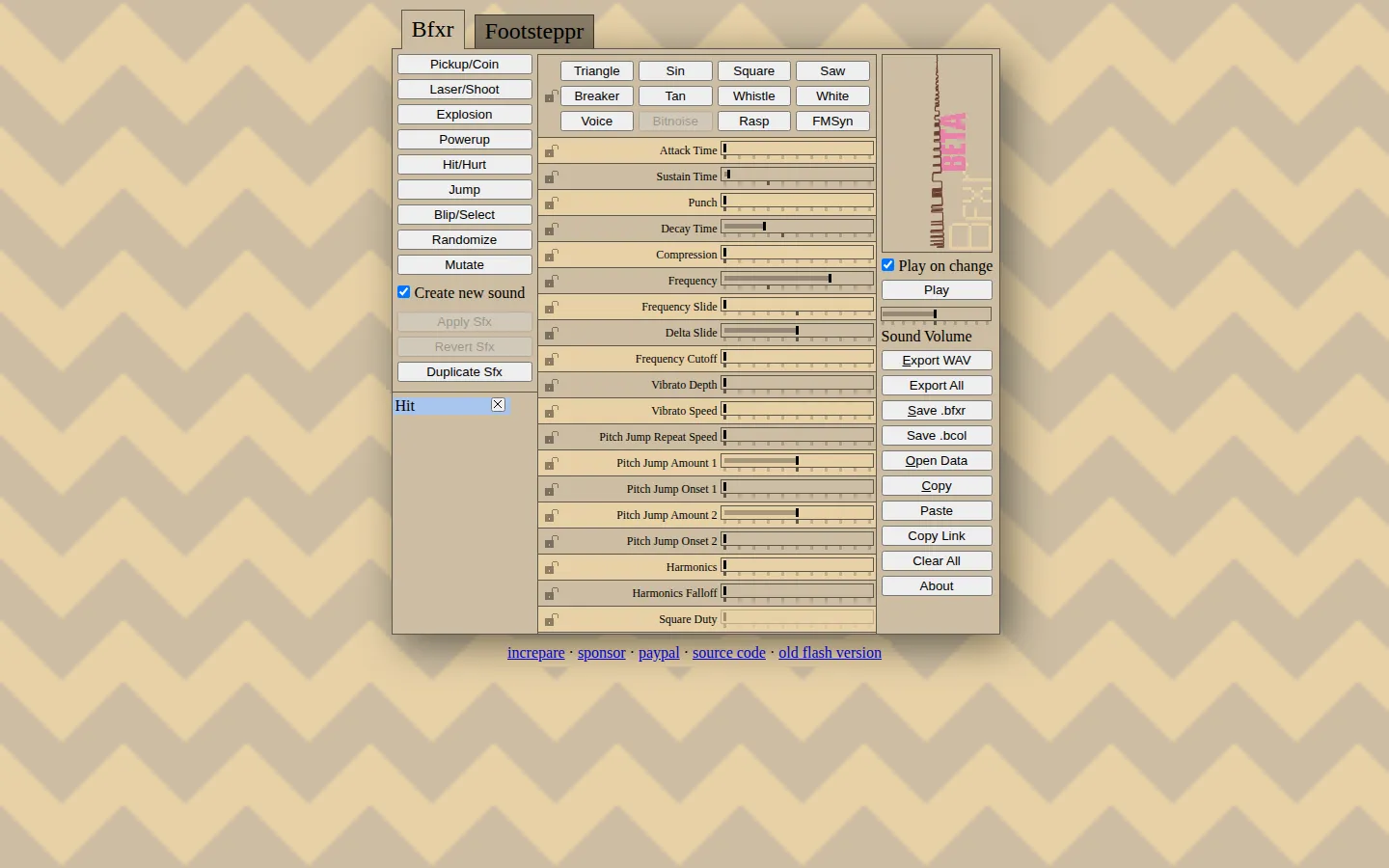
Bfxr turns a browser tab into a compact sound-effects bench for games. Start with a coin, laser, explosion, footstep, jump, or other preset, then reshape it with waveforms, envelopes, filters, vibrato, pitch jumps, repetition, and distortion before exporting a WAV. The current JavaScript refresh is free, open source, and explicitly labeled beta.
What is Bfxr?
The fastest path through Bfxr is gloriously unserious: press a preset until a useful blip appears, then mutate it into a small family of cousins. The deeper path looks more like a pocket synthesizer. Waveform choices set the raw character; attack, sustain, decay, pitch movement, vibrato, filters, harmonics, flanging, and bit crushing can turn the same starting point from polite menu chirp to crumpled robot thunder. The current rewrite also adds a dedicated footstep generator. Useful results can leave as WAV files, while project formats and copied settings make an interesting noise easier to revisit.
What you can do there
- Generate a game sound from a preset
- Shape the sound with waveforms and synthesis controls
- Randomize or mutate a promising effect
- Export a finished sound as a WAV file
Why we picked it
A sound effect arrives before a beginner needs to understand synthesis, but the controls are deep enough to reward deliberate tweaking. That makes Bfxr both a practical game-jam tool and a wonderfully noisy lesson in how a tiny change to pitch, envelope, or waveform changes what an action feels like.
How to get the most from it
Begin with the preset closest to the event you need, such as a jump or explosion, and keep your speakers at a sensible level. Press Space or Enter to replay, adjust one group of controls at a time, and use mutation when the sound is close but too predictable. Lock any parameter you already like before randomizing the rest. Save the editable project state, then export a WAV only after testing the effect beside the game's music and other sounds.
Good to know
The live site is the beta JavaScript successor to the older Flash and AIR Bfxr, so older tutorials may show controls or mixer behavior that do not match exactly. The current interface source documents keyboard shortcuts for playback, opening, saving, WAV export, copy and paste, locking, randomizing, and mutation. Audio is the entire point here; this is not a quiet-office stumble. Device support, privacy behavior, and assistive-technology compatibility remain unclear.
Who made it, and when?
Stephen Lavelle (increpare) is the credited creator or organization. A documented update was recorded March 2025.
Creator’s official page Open BfxrMore like this
Radio Garden

Spin the globe and tune into live radio stations almost anywhere on Earth.
Chrome Music Lab

Friendly musical experiments that explain rhythm, melody, sound waves, and harmony by letting you play.
Blob Opera

Conduct four cheerful blobs whose vowel-shaped voices turn almost any gesture into opera.
Patatap

Turn every letter key into a synchronized burst of sound and animation.