
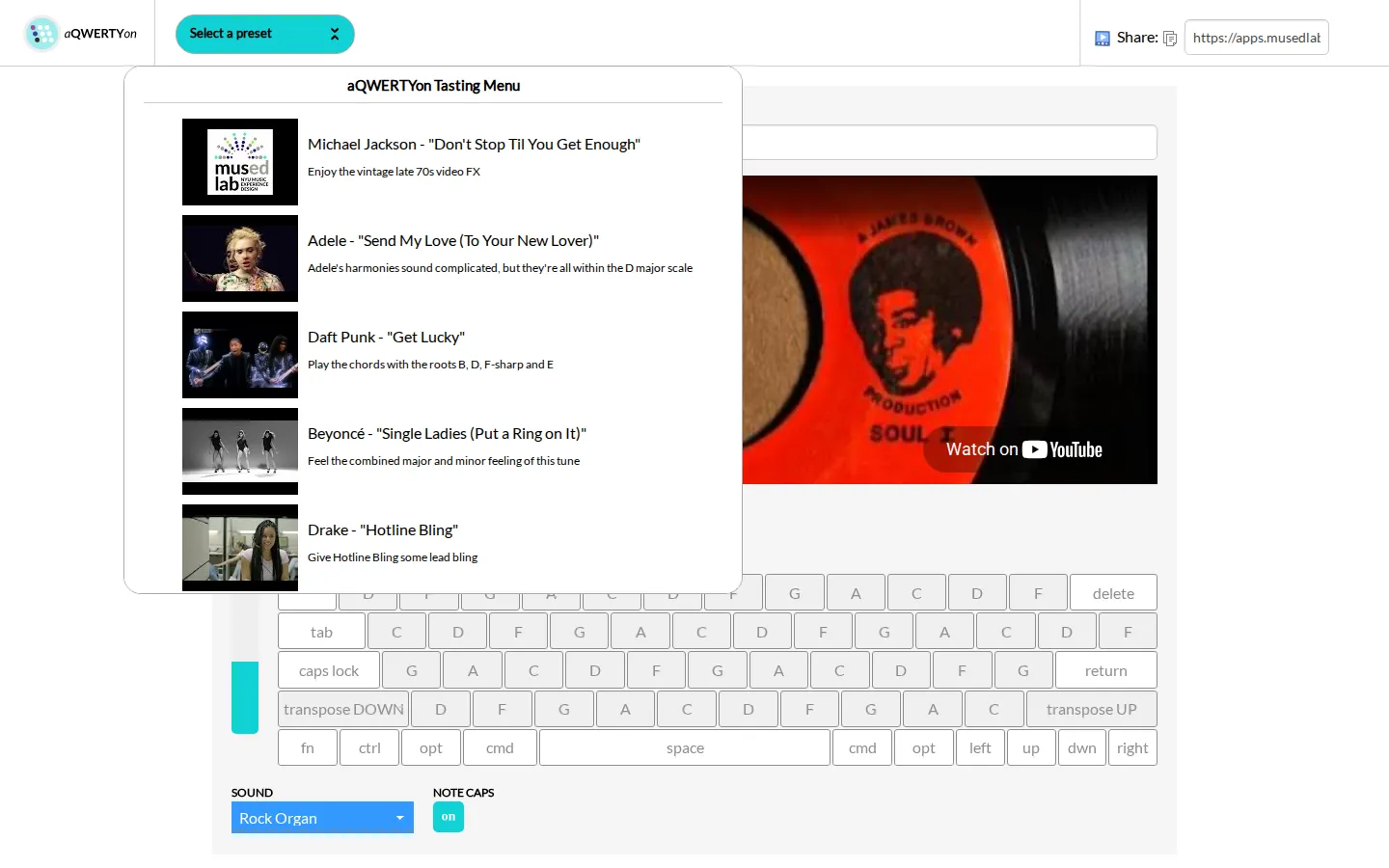
aQWERTYon turns the rows and columns of a computer keyboard into a scale-mapped instrument. This preset pairs a rock-organ voice with an embedded play-along video, letting you make melody and chord shapes without finding middle C—or owning a MIDI controller.
What is aQWERTYon?
The screen replaces piano geometry with something your fingers already know: QWERTY. Letter keys are labeled with notes from the chosen root and scale, nearby controls change the scale and sound, and vertical key groupings make chord shapes approachable. A video panel turns the page into a lightweight accompaniment station; teachers can also build a configuration and share its URL. The clever trick is constraint. By laying one selected scale across the keyboard, aQWERTYon makes improvising less like tiptoeing through a theory exam and more like trying shapes until one sticks.
What you can do there
- Play scale-mapped notes and chord shapes with a computer keyboard
- Change the root, scale, volume, and instrument sound
- Improvise alongside a loaded video
- Share a configured play-along link
Why we picked it
It converts familiar typing muscle memory into musical curiosity with very little ceremony. The scale-limited layout encourages fearless tinkering, while the shareable presets give a teacher or friend a way to hand you a ready-made jam instead of a blank control panel.
How to get the most from it
Let the loaded video establish the pulse, keep the rock organ at a comfortable volume, and begin with neighboring letter keys. Move across a row for a run of scale notes, then try keys in the same vertical neighborhood to find chord shapes. Once the pattern feels natural, change the root, scale, or sound and listen for how the whole keyboard's character shifts.
Good to know
Sound is the point, so headphones are the courteous choice. The lab documents Web MIDI for Chrome-based browsers, while the embedded YouTube clip can be blocked, removed, or unsuitable even when the keyboard itself remains available. Music-theory labels get dense quickly; the preloaded preset is the gentlest on-ramp.
Who made it, and when?
NYU Music Experience Design Lab is the credited creator or organization.
Creator’s official page Open aQWERTYonMore like this
Radio Garden

Spin the globe and tune into live radio stations almost anywhere on Earth.
Chrome Music Lab

Friendly musical experiments that explain rhythm, melody, sound waves, and harmony by letting you play.
Blob Opera

Conduct four cheerful blobs whose vowel-shaped voices turn almost any gesture into opera.
Patatap

Turn every letter key into a synchronized burst of sound and animation.