
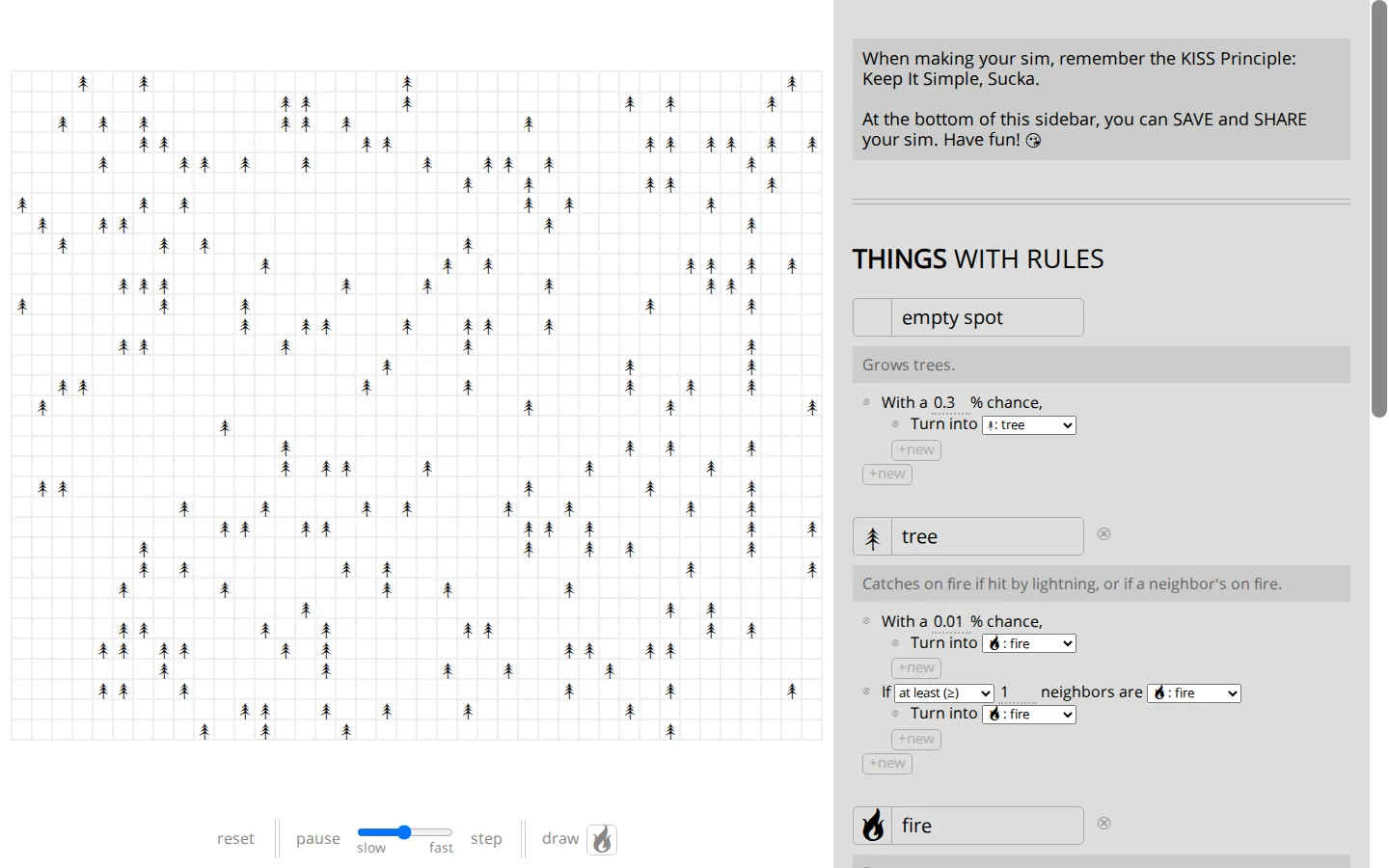
A Simulation In Emoji turns systems thinking into a small, playful control panel. Reset the model, slow it down, advance it one step at a time, or draw directly into the world to inspect how simple rules accumulate into larger patterns.
What is A Simulation in Emoji?
This is a tiny laboratory disguised as a sheet of emoji. The visible controls favor close inspection over spectacle: pause a run, change its pace, move forward by one tick, then add a mark and see where the rules carry it. The model page sits inside Nicky Case's broader Simulating The World project, which uses approachable scenarios to introduce emergence, feedback loops, and self-organization. Its real charm is permission to be skeptical. The surrounding project explicitly encourages changing assumptions and testing predictions instead of treating a colorful model as an oracle.
What you can do there
- Run, pause, and step through an emoji simulation
- Draw on the model and change its rules
Why we picked it
Few learning tools make the gap between a local rule and a system-wide pattern feel this compact. The emoji vocabulary lowers the visual temperature, while pause and single-step controls invite the kind of patient poking that turns an abstract model into a question you can examine.
How to get the most from it
Begin with reset, run the model slowly, and use step to isolate one change at a time. Once the pattern makes sense, draw into the grid or adjust a rule and predict the result before letting the simulation continue.
Good to know
This is an older model page connected to a January 2016 project, and its simulations are teaching tools rather than forecasts. Live controls, small-screen behavior, accessibility, audio, and current browser quirks were not verified during this check. The project's source is publicly available under CC0.
Who made it, and when?
Nicky Case is the credited creator or organization. The earliest supported launch date we found is January 2016.
Creator’s official page Open A Simulation in EmojiMore like this
Neal.fun

A cabinet of interactive ideas that makes learning feel suspiciously like play.
Quick, Draw!

Doodle against the clock while a neural network tries to guess your subject.
Sandspiel

Paint with sand, water, fire, plants, oil, and other tiny materials that react to one another.
WebGL Fluid Simulation

Push luminous liquid color around the screen and watch digital turbulence behave beautifully.